Home › Recommended Tools › SaneBox Review
TimeWasterAI Recommended Tool
SaneBox Review: Clean Up Your Inbox in Minutes
If your inbox feels impossible to manage, SaneBox is built to help you focus on the emails that actually matter. It works with the email app you already use and helps sort, snooze, track, and clean up email without forcing you to switch inboxes.
Quick answer: SaneBox is worth considering if email volume makes it hard to find important messages, remember follow-ups, or stay focused. It is most useful for professionals, creators, business owners, and busy inbox users who want smarter filtering without changing their email client.
Affiliate disclosure: This page contains affiliate links. If you purchase through one of these links, TimeWasterAI may earn a commission at no additional cost to you. We only recommend tools that may be useful to readers.
Limited-time note: SaneBox promotional offers can change. If you see a “save $25” or trial offer on the SaneBox page, check the official signup page for the current terms before subscribing.
SaneBox at a Glance
- Best for: Professionals with overloaded inboxes who want automatic filtering, digests, reminders, snoozing, and unsubscribe tools.
- Product type: AI email organization and follow-up service.
- Works with: Major email clients, apps, devices, and IMAP-based services.
- Privacy note: SaneBox says it only reads email headers, not the body of your emails.
- Pricing: Check current plans, limits, and offers on the official SaneBox site.
- Last reviewed: October 2, 2026.
What Is SaneBox?
SaneBox is an email-management service that uses AI filtering to help sort less-important messages, surface important emails, suppress unwanted senders, track replies, and snooze messages for later.
The main benefit is that SaneBox works with the inbox you already use. You do not need to switch to a new email app or change your email address.
Who Is SaneBox For?
SaneBox is best for people who spend too much time sorting email manually. It is especially useful if your inbox causes missed replies, constant interruptions, or daily cleanup stress.
- Business owners managing customer, vendor, and team emails.
- Creators and affiliate marketers handling outreach and brand messages.
- Remote workers who need fewer inbox interruptions.
- Professionals who need reminders when people do not reply.
- Anyone who wants inbox organization without switching email clients.
Key SaneBox Features
AI Email Filtering
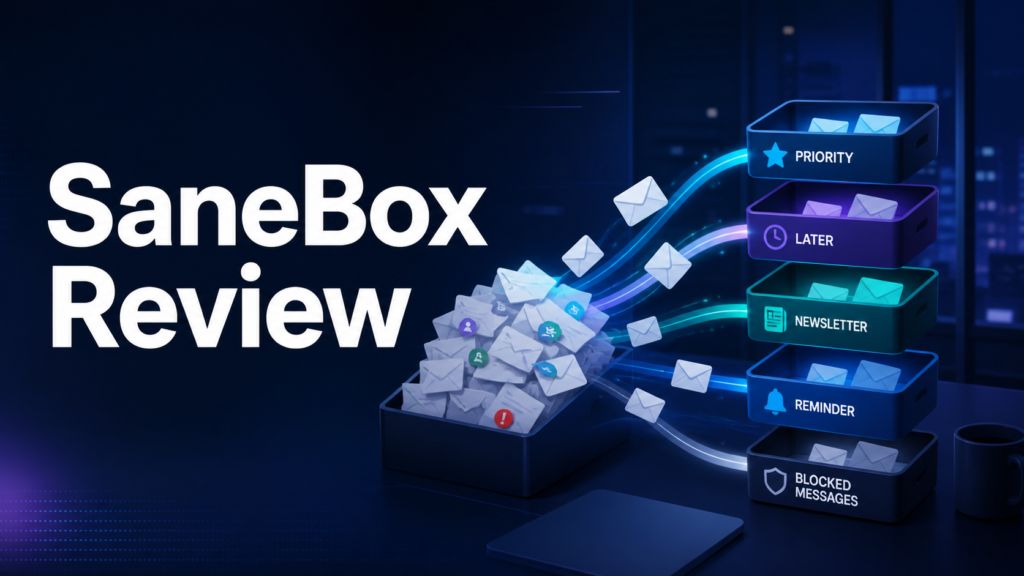
SaneBox uses personalized filtering to move less-important emails out of your main inbox so you can focus on what matters first.
Immediate Training
Moving an email to the correct folder helps train the system so it can better understand your preferences.
One-Click Unsubscribe
SaneBox can help you safely unsubscribe from unwanted mass emails with one click.
Reply Tracking
Get notified when someone does not reply by a certain time, which helps prevent missed follow-ups.
Snooze and Reminders
Snooze emails until you are ready to handle them and send reminders to your future self.
Do-Not-Disturb
Pause inbox interruptions when you need focus time, deep work, or fewer email distractions.
How SaneBox Works
- Connect a supported email account.
- Let SaneBox analyze basic email information and create filtering folders.
- Review the initial sorting and correct anything that lands in the wrong place.
- Use features like reminders, snooze, BlackHole, and one-click unsubscribe as needed.
- Measure whether it actually saves time before committing long term.
Why SaneBox Is Different
Free inbox tools like priority inboxes and basic filters can help, but SaneBox is built around personalized email training, advanced filtering options, reply tracking, snoozing, unsubscribe tools, and privacy-focused filtering.
- Works everywhere: SaneBox works across email apps, clients, devices, and supported providers.
- Personalized filtering: The system adapts to your preferences instead of applying the same global rules to everyone.
- Productivity tools: Reply tracking, snooze, reminders, and do-not-disturb are built into the workflow.
- Privacy-focused approach: SaneBox says it only reads email headers and not the body copy of your emails.
Pros and Cons
Pros
- Works with the email client you already use.
- Can reduce inbox interruptions without changing addresses.
- Adds reply tracking, snooze, and reminder tools.
- Can help clean up newsletters and unwanted senders.
- Useful for busy professionals and business owners.
Cons
- Requires access to email account information.
- Initial sorting may need training and correction.
- Low-volume inbox users may not need it.
- Subscription value depends on how much time it actually saves.
- Users should review permissions and security information before connecting an account.
SaneBox Pricing
Plans, limits, offers, and availability can change. TimeWasterAI does not publish an unverified price here. Check the official SaneBox site for current pricing, trial details, cancellation terms, and any active savings offers.
Best Use Cases for SaneBox
- Inbox cleanup: Reduce the time spent sorting newsletters, promotions, and low-priority messages.
- Follow-up management: Track replies so important conversations do not disappear.
- Focus time: Use do-not-disturb and snooze features to reduce interruptions.
- Year-end cleanup: Clean up your inbox before Q4, holidays, tax season, or a busy work period.
- Business communication: Keep client, customer, or vendor emails easier to manage.
Who Should Try SaneBox?
Try SaneBox if inbox overload is a recurring productivity problem and you are comfortable reviewing its security approach, permissions, and account access before connecting your email.
Who Should Skip It?
Skip SaneBox if you receive very little email, already have a disciplined filtering system, or do not want a third-party service connected to your inbox.
Clean Up Your Inbox Before It Gets Worse
If your inbox is slowing you down, SaneBox gives you a practical way to filter distractions, track follow-ups, and stay focused without switching email apps.
SaneBox Alternatives
- Gmail filters and priority inbox features.
- Outlook focused inbox and built-in rules.
- Manual unsubscribe and inbox-cleanup routines.
- Task-management follow-up reminders.
- Other email triage assistants.
Verdict: Is SaneBox Worth It?
SaneBox is worth testing if your inbox is a daily time drain. It solves a specific problem: too much time spent sorting, remembering, and returning to email. The best way to judge the value is to test it during the trial and measure whether it reduces inbox time, missed follow-ups, and manual sorting.
TimeWasterAI recommends promoting SaneBox in a helpful, non-pushy way. The best angle is simple: show how it saves time, reduces inbox stress, and helps people focus on the emails that matter.
Frequently Asked Questions
Does SaneBox replace my email app?
No. SaneBox works with the email app and inbox you already use.
Does SaneBox read my emails?
SaneBox states that it only reads email headers and does not read the body copy of your emails. Review the official security and privacy information before connecting your account.
Does SaneBox offer a trial?
SaneBox has promoted trial offers, but current terms can change. Verify the latest trial details on the official signup page.
Is SaneBox good for low-volume inboxes?
Probably not. If you receive very little email or already have strong filters, the subscription may not save enough time to justify another tool.
Official Source
Verify current features, limits, security information, pricing, and terms on the official SaneBox website.
Primary affiliate link: Try SaneBox here.