Affiliate disclosure: TimewasterAI may earn a commission when you purchase through links on this page, at no additional cost to you.
Best Tablets and E-Readers for Reading, Work and Travel
Tablets and e-readers can look similar at first, but they are built for very different habits. A tablet is better when you want apps, video calls, email, streaming, note-taking, browsing and light work. An e-reader is better when you want a calm reading device that feels easier on the eyes and does not constantly pull you into notifications.
The best choice depends less on the brand name and more on how you plan to use it. Someone who reads novels on flights needs something different from someone who edits documents, answers emails and watches movies in a hotel room.
Disclosure: This post contains affiliate links. Tina Trends may earn a commission if you buy through these links, at no extra cost to you. Recommendations are organized by use case so you can choose what actually fits your reading, work and travel routine.
Tablet or E-Reader: Which One Should You Buy?
Before comparing models, start with the real question: do you want a focused reading device or a small computer?
Buy a tablet if you want flexibility
A tablet is the better pick for web browsing, email, video calls, streaming, social media, cloud documents, PDFs, digital planning and casual creative work. It can still be great for reading, especially magazines, comics, cookbooks and textbooks with color images.
Buy an e-reader if you want focus
An e-reader is better for long reading sessions. It is lighter, easier to hold, more book-like and less distracting. Many e-readers also have excellent battery life, which makes them especially useful for travel.
Best Overall Tablet Pick
Best for most people: a mid-size iPad or Samsung Galaxy Tab
For most readers who also want work features, a mid-size tablet is the safest choice. It gives you enough screen space for reading and typing without feeling too bulky in a backpack or carry-on.
An iPad is a strong pick if you already use an iPhone, MacBook or Apple services. A Samsung Galaxy Tab makes sense if you prefer Android, use a Samsung phone or want a more open file-management style.
Look for a screen around 10 to 11 inches if you want the best balance for reading, streaming, email and travel. Bigger tablets are great at a desk, but they can feel awkward when you are reading in bed, sitting on a plane or carrying one all day.
Best Overall E-Reader Pick
Best for most readers: Kindle Paperwhite-style e-reader
For pure reading, a Paperwhite-style e-reader is still one of the easiest recommendations. It is built around books, has a glare-free reading experience, and usually lasts much longer between charges than a regular tablet.
This is the type of device to buy if you mainly read novels, nonfiction, memoirs, business books, thrillers or book-club picks. It is also a great travel companion because it can hold a large library without adding much weight to your bag.

Best Tablets and E-Readers by Use Case
Instead of picking the most expensive device, match the device to the way you actually read and work. A beautiful large tablet is not automatically better if it is too heavy to hold. A simple e-reader is not enough if you need spreadsheets, Zoom calls and email.
| Use Case | Best Device Type | Why It Works | What to Watch Out For |
|---|---|---|---|
| Reading novels and nonfiction | E-reader | Less eye strain, fewer distractions and easier one-handed reading. | Not ideal for full-color layouts, work apps or fast web browsing. |
| Work, email and video calls | Tablet | Better app support, keyboard options, multitasking and cloud tools. | You may need a keyboard case or stylus, which adds cost. |
| Travel entertainment | Tablet | Good for books, movies, maps, games, downloads and browsing. | Battery life may not match an e-reader on long trips. |
| Beach, pool or outdoor reading | E-reader | Glare-free screens are usually easier to read outdoors. | Check waterproof ratings before taking any device near water. |
| Comics, magazines and cookbooks | Tablet or color e-reader | Color screens make images, covers and layouts more useful. | Color e-reader screens are improving, but tablets still look brighter. |
| Digital notes and journaling | Tablet or large e-reader with pen support | Great for planners, PDFs, handwritten notes and study workflows. | Check whether the stylus is included or sold separately. |
Best Tablet Options to Consider
1. iPad: best all-around tablet for most people
The iPad is popular for a reason. It is easy to use, has strong app support and works well for reading, streaming, note-taking, email, browsing and light productivity. If you already use Apple devices, it also fits neatly into that ecosystem.
A regular iPad is enough for casual readers and everyday tasks. An iPad Air is better if you want more performance for creative apps, multitasking or longer-term use. An iPad Pro is powerful, but most shoppers do not need to spend Pro-level money just to read, travel and answer emails.
2. Samsung Galaxy Tab: best Android tablet choice
Samsung Galaxy Tabs are a strong fit for Android users, Samsung phone owners and anyone who wants a tablet that feels more laptop-like with the right keyboard setup. They are especially useful for streaming, note-taking, browsing, cloud files and multitasking.
If you want a tablet for both entertainment and productivity, look closely at the screen size and keyboard compatibility. A larger Galaxy Tab can feel excellent at a desk, while a smaller or mid-size model is easier to travel with.
3. Amazon Fire Tablet: best budget-friendly entertainment tablet
A Fire tablet can be a smart budget option for reading, streaming, casual browsing and kids’ entertainment. It is not usually the best choice for serious work, but it can be very useful as a low-cost travel or household tablet.
This is the practical pick if you want something affordable for Kindle books, Prime Video, recipes, light games or keeping kids entertained on a trip.
Best E-Reader Options to Consider
1. Kindle Paperwhite: best e-reader for most readers
The Kindle Paperwhite-style device is the easy middle ground for most book lovers. It is simple, portable and built for long reading sessions. It is a better fit than a tablet if you mostly want to read and avoid the usual app distractions.
It is especially good for travelers, bedtime readers and anyone who wants to carry a full library without carrying multiple books.
2. Kindle Colorsoft: best for readers who want color
A color e-reader makes more sense if you read comics, graphic novels, illustrated books, travel guides, cookbooks or anything where color adds value. It is still more focused than a tablet, but it gives book covers and illustrated pages more life.
Just remember that color e-ink is not the same as a bright tablet screen. It is designed to be easier on the eyes, not to replace an iPad for video or glossy magazine-style color.
3. Kindle Scribe or Kobo Elipsa-style devices: best for reading plus notes
Larger e-readers with pen support are worth considering if you read PDFs, annotate documents, journal, study or take handwritten notes. They are not as flexible as a tablet, but they can feel much calmer and more focused.
These are best for people who want a digital notebook more than a mini laptop.
4. Kobo e-readers: best Kindle alternative
Kobo is a strong alternative for readers who do not want to stay inside Amazon’s Kindle ecosystem. Kobo models are especially interesting if you borrow library books often, want a different bookstore experience or prefer features like page-turn buttons on certain models.
What to Check Before You Buy
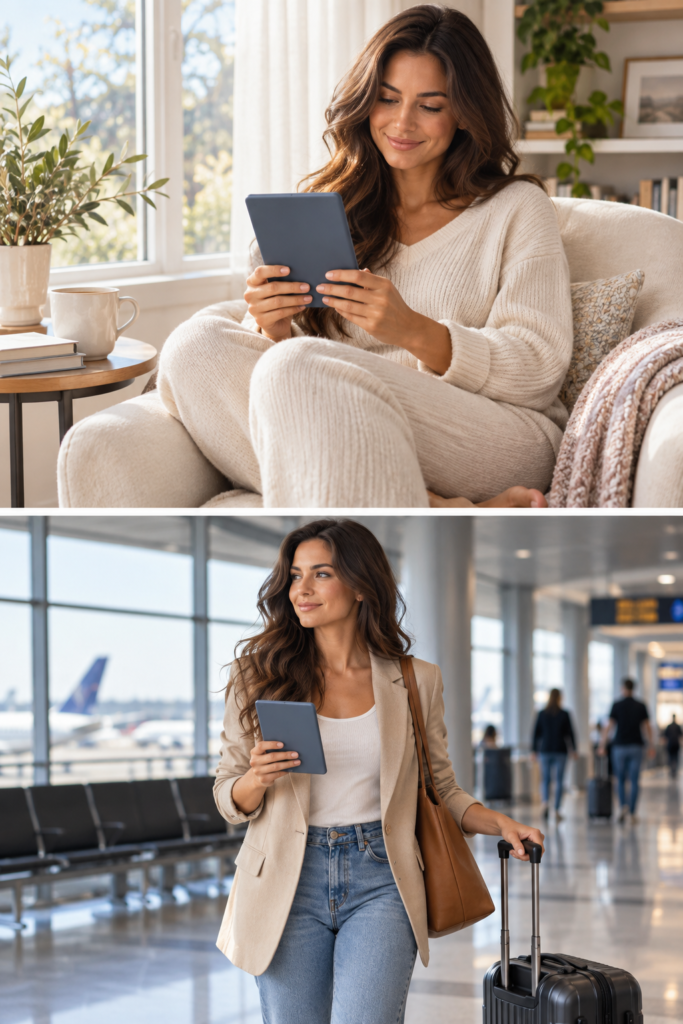
A good tablet or e-reader should fit your routine, not just look impressive in the product photos. Before you buy, check these details.
Screen size
Smaller screens are easier to hold and pack. Larger screens are better for work, PDFs, note-taking and split-screen tasks.
Battery life
E-readers usually win for battery life. Tablets are better for apps and media, but they need charging more often.
Storage
Books do not need much space, but movies, games, PDFs, comics and downloaded apps can fill a tablet quickly.
Accessories
A keyboard, case, screen protector or stylus can change the total price. Do not compare device prices without checking accessories.
Common Mistakes to Avoid
Do not buy the biggest screen automatically. Big tablets are beautiful, but they can be annoying to hold for casual reading.
Do not buy an e-reader expecting it to act like a tablet. E-readers are intentionally slower and simpler.
Do not forget about the ecosystem. Kindle, Apple, Android and Kobo each work a little differently with books, apps, files and subscriptions.
Do not ignore return policies. A device can look perfect online and still feel too heavy, too small or too limited once you use it.
Tablet vs E-Reader: Final Recommendation
If you want one device for reading, work, streaming, email, browsing and travel entertainment, buy a tablet. It is the more flexible choice and can replace several small devices in your bag.
If you mainly want to read books without distractions, buy an e-reader. It is lighter, calmer and usually better for long reading sessions.
For many people, the ideal setup is actually both: a tablet for work and travel entertainment, plus an e-reader for focused reading. But if you only want to buy one, choose based on your main habit. Work and apps mean tablet. Books and focus mean e-reader.
FAQ
Is a tablet or e-reader better for travel?
A tablet is better if you want movies, email, maps, browsing and apps. An e-reader is better if your main travel activity is reading books.
Can I read Kindle books on a tablet?
Yes. You can read Kindle books through the Kindle app on many tablets. The difference is that a tablet has a brighter screen and more distractions, while a Kindle-style e-reader is designed mainly for reading.
Are e-readers good for work?
They can be useful for reading documents, annotating PDFs or taking notes if you choose a larger model with pen support. For email, spreadsheets, video meetings and multitasking, a tablet is better.
Should kids use a tablet or e-reader?
For reading, an e-reader can help reduce distractions. For games, videos, learning apps and entertainment, a tablet is more flexible. Parental controls and a durable case matter either way.
Final Thoughts
The best tablets and e-readers are not always the newest or most expensive models. The best one is the device you will actually use. If you want a small work-and-entertainment machine, shop tablets. If you want a calmer reading habit, shop e-readers.