Affiliate disclosure: TimewasterAI may earn a commission when you purchase through links on this page, at no additional cost to you.
You already have the visual.
Maybe it’s an AI character, product image, illustration, photo, or ordinary video clip. The problem is turning it into something interesting enough for TikTok, YouTube Shorts, Instagram Reels, or another video platform.
Traditional animation can mean keyframes, timelines, masking, rigging, motion tracking, and a considerable amount of learning.
DomoAI takes a different approach: give AI an existing image or video and let it generate or transform the motion and visual style for you.
Review basis: TimewasterAI has not confirmed firsthand testing of DomoAI. This review is based on current official DomoAI information, public research, and user-supplied affiliate materials. We have not independently verified output quality, rendering speed, character consistency, or real-world performance.
Quick Answer
DomoAI is an AI video and image creation platform built around generating, animating, transforming, and editing visual content.
For creators, some of its most interesting tools are Image to Video, Video to Video, Character to Video, Talking Avatar, lip sync, Text to Video, and video upscaling.
The practical appeal is straightforward: you can start with an existing image or video and experiment with animation or visual transformations without manually creating every frame.
DomoAI may be particularly useful for creators making short stylized clips, anime-inspired content, animated characters, social visuals, talking characters, or transformations of existing footage.
The tradeoff is control and predictability. AI generation is not the same as manually directing every frame. Source material, model choice, prompts, motion complexity, and settings can affect the result, and you may need multiple generations before getting something useful.
If all you need is cutting clips, adding captions, transitions, music, and basic effects, a conventional editor such as CapCut or another mobile/video editor may be simpler.
What Is DomoAI?
DomoAI is a collection of AI-powered image and video creation tools available through its web platform.
Its current video toolkit includes several workflows that solve different problems.
Image to Video
You provide a still image and DomoAI generates motion from it. Its current documentation supports JPEG, JPG, and PNG inputs and allows creators to use motion templates or describe desired motion with prompts.
DomoAI’s current platform information describes Image to Video generations ranging from roughly 4 to 15 seconds depending on the model and workflow.
Video to Video
Instead of creating motion from scratch, Video to Video takes an existing clip and changes its visual appearance.
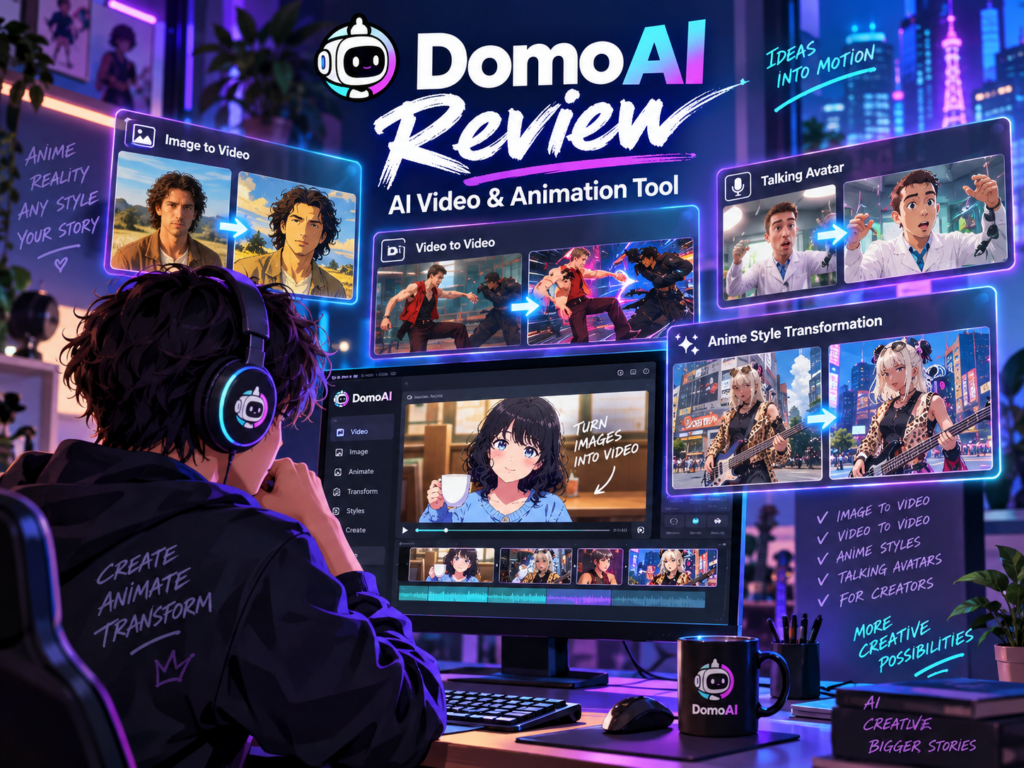
DomoAI currently advertises more than 40 visual styles, including more than 20 anime styles as well as watercolor, oil-painting, and pencil-sketch looks.
Its documentation says the transformation is applied frame by frame while preserving the original video’s motion and audio.
Character to Video
This workflow uses an existing video as a motion reference and a separate character image. DomoAI then replaces the character while attempting to preserve the movement from the reference footage.
That can give creators a different path to character animation: instead of manually rigging a still character, use real motion as the reference.
Talking Avatar and Lip Sync
DomoAI also currently offers Talking Avatar and lip-sync tools.
Talking Avatar can start from a front-facing image. You can provide a script for text-to-speech or upload compatible audio, and DomoAI generates a talking version of the character with synchronized mouth movement.
Text to Video
DomoAI isn’t limited to transforming existing assets. Its current Text to Video tool can also generate video directly from a written scene description.
That broadens DomoAI from an animation tool into a more complete AI video workspace, but this review focuses primarily on the creator problem of turning visuals you already have into something more dynamic.
What Problem Does DomoAI Actually Solve?
Imagine you created a character image that looks exactly how you want.
Now you want that character to turn their head, walk, talk, dance, or appear in a short vertical video.
The traditional solution might require animation software, rigging, keyframes, or considerable manual editing.
DomoAI attempts to compress that workflow. Depending on the tool, you can provide an image, motion reference, video, audio, or prompt and let the model generate the transformation.
DomoAI is most interesting when creating the visual is easy but manually animating or restyling it is the part slowing you down.
DomoAI Image to Video
Image to Video is one of the easiest DomoAI features to understand.
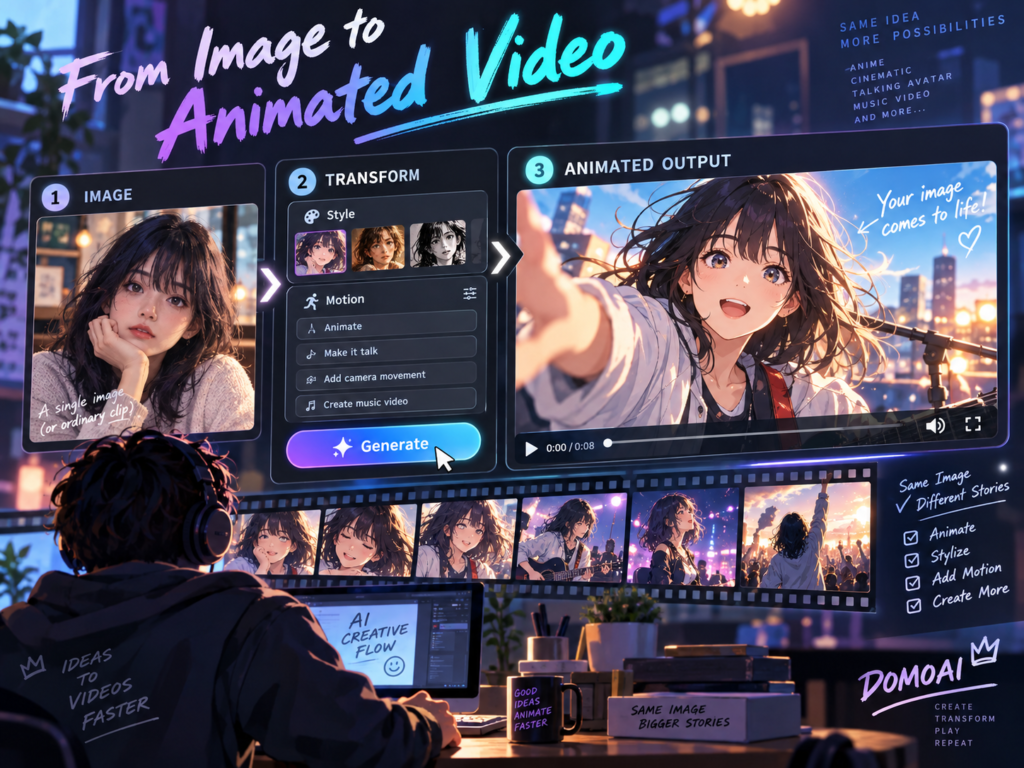
You start with a still image such as a portrait, illustration, character, photo, or other visual. DomoAI then generates a short video by adding motion.
Its current workflow supports motion templates as well as custom prompts. That means you can either select a predefined type of movement or describe what you want to happen.
For a creator, that can turn one strong still image into material for a Reel, Short, TikTok, intro, visualizer, or other short-form asset.
Example: Animate an AI Character
Suppose a creator already has a still image of an original character.
Instead of manually rigging the character, they could use Image to Video to request movement. If more precise existing movement is important, Character to Video offers another workflow using a reference clip.
This is an example based on DomoAI’s documented features, not a TimewasterAI test.
DomoAI Video to Video
Video to Video solves a different problem.
You already have the motion. What you want to change is the look.
For example, a creator could start with ordinary footage and use DomoAI to transform its visual style toward anime, watercolor, oil painting, pencil sketch, or another supported aesthetic.
DomoAI says its Video to Video system preserves the original motion and audio while applying the visual transformation frame by frame.
Current controls include aspect-ratio options, custom styles through its Fusion model, lip sync, Screen Keying, and Subject Only controls.
Standard Video to Video processing currently supports clips up to 10 seconds according to DomoAI’s Help Center. Longer material may need to be divided into segments and recombined in a conventional editor.
Anime and Style Transformation
DomoAI puts substantial emphasis on anime and stylized video.
The company currently advertises more than 40 Video to Video styles, including more than 20 anime styles.
This is particularly relevant for creators who already know the movement they want. You could record a normal performance and use that footage as the foundation for a different visual treatment.
The promotional examples supplied for this review show anime-style characters, stylized people, talking characters, and image-to-animation transformations. Those should be viewed as promotional examples, not proof that every source image or video will produce the same quality.
AI video results can depend on the source asset, movement complexity, selected model, prompt, settings, and duration. DomoAI’s own documentation recommends regenerating or adjusting inputs when a result is not satisfactory.
Talking Avatar and Lip Sync
DomoAI currently supports both Talking Avatar and lip-sync workflows.
For Talking Avatar, its documentation recommends a clear, front-facing image. Supported image formats include JPEG, JPG, and PNG.
You can type a script and use text-to-speech, or supply audio. DomoAI currently documents MP3, WAV, and M4A audio uploads up to 80 MB for its Talking Avatar workflow.
The system then generates facial and mouth movement to accompany the speech.
This could be useful for AI characters, educational clips, short marketing videos, localization, or creator personas where filming a conventional talking-head video isn’t the desired workflow.
DomoAI itself notes that input quality matters. Clear facial visibility, a useful camera angle, adequate lighting, and clean audio can affect lip-sync results.
Realistic Creator Use Cases
Turn a Still Character Into a Short Clip
An AI creator has a character design but no animation. Image to Video can provide generated motion, while Character to Video can use reference footage when a particular movement is important.
Restyle Existing Footage
A YouTube or TikTok creator records a short live-action performance and uses Video to Video to experiment with an anime or illustrated treatment while retaining the original movement.
Create a Talking Character
A creator starts with a front-facing character image, provides dialogue, and uses Talking Avatar to generate a speaking clip rather than manually animating mouth movements.
Another reasonable use case is experimentation. A marketer or creator may want three visual directions for a social post before deciding which concept deserves more editing time.
These are workflow examples based on documented DomoAI features. They are not TimewasterAI firsthand tests.
DomoAI Pricing
DomoAI currently uses a credit-based pricing system.
Free Trial: 15 credits are currently provided so new users can try DomoAI before subscribing.
Basic: $9.99 per month, or an annual option currently advertised at an effective $8.99 per month. The plan includes 500 credits per month, access to all styles, three parallel fast lanes, optional credit top-ups, and no watermark.
Standard: $27.99 per month, or $19.99 per month when billed annually at the current annual rate. It includes 1,500 monthly credits, unlimited generations in Relax Mode, three parallel fast lanes, optional top-ups, and no watermark.
Pro: $69.99 per month, or $49.99 per month when billed annually. It currently includes 4,000 monthly credits, unlimited Relax Mode, longer-duration Fast Mode options, advanced Talking Avatar durations, higher upscaling options, and no watermark.
Subscription credits reset each billing cycle and do not roll over. DomoAI also sells additional paid credits to active paid subscribers; those purchased credits do not expire.
Because different tools, models, resolutions, and durations can consume different amounts of credits, creators should check the current credit cost of the workflow they actually intend to use rather than looking only at the headline monthly credit allowance.
Does DomoAI Add a Watermark?
DomoAI’s current Video to Video documentation says free outputs include a watermark by default, while its Basic, Standard, and Pro plans remove watermarks.
Can You Use DomoAI Commercially?
DomoAI’s current Terms of Service state that generated output belongs to the user and may be used commercially, subject to applicable laws and third-party rights.
That last part matters. Using AI to transform somebody else’s copyrighted character, footage, music, likeness, or other protected material does not automatically give you commercial rights to the underlying material.
Check the Workflow Before Paying
Start with the free credits and determine which DomoAI feature actually solves your problem. A creator who mainly wants Image to Video may have very different credit needs from someone repeatedly generating Talking Avatars or restyling video.
How I Would Test DomoAI
TimewasterAI hasn’t performed this test yet. If you’re deciding whether to subscribe, here’s a more useful test than generating one impressive clip and stopping.
- Choose one clean still image. Use a source you have permission to use and that has clear details you can inspect afterward.
- Create one Image to Video version. Watch whether the intended subject remains recognizable as it moves.
- Generate another version. Change the motion or style while keeping the same source so you can compare behavior.
- Test one short existing video. Use Video to Video and see how well important motion and details survive the transformation.
- Inspect consistency. Watch backgrounds, clothing, objects, faces, hands, and small details from frame to frame.
- Check the final export. Don’t judge only from a small preview window.
- Track credits. Record how many credits you actually spend reaching one usable result.
- Count the retries. A cheap generation becomes less cheap if you routinely need several attempts.
- Ask whether it saves work. Decide whether the final result is usable as-is, needs light editing, or requires so much repair that another workflow would be easier.
The useful metric isn’t how quickly DomoAI can generate a video. It’s how much time and credit it takes to generate a video you would actually publish.
Explore DomoAI
Check DomoAI’s current creator tools and see whether its image and video workflows match the kind of content you make.
Explore DomoAICheck Current DomoAI Options
Compare the current features, credit requirements, and available plans before deciding whether a paid workflow makes sense.
See Current OptionsTry DomoAI for Your Workflow
Start with the type of visual you actually create and judge how many generations it takes to produce something usable.
See DomoAI DetailsReview DomoAI Plans
Check current pricing and plan details directly before subscribing, especially if your workflow uses credits heavily.
Check Current PlansWho Should Consider DomoAI?
DomoAI makes the most sense when AI transformation or animation is actually part of the content you want to create.
Consider it if you:
- Create TikToks, Shorts, Reels, or other short visual content.
- Already generate characters or images and want to add motion.
- Want to experiment with anime or other stylized video treatments.
- Want to transform existing motion instead of animating everything manually.
- Create talking AI characters or avatar-based content.
- Need quick visual experiments before committing to a larger editing project.
- Want AI generation, transformation, lip sync, and upscaling available in one workflow.
Who Should Skip DomoAI?
DomoAI may be unnecessary if:
- You mainly cut clips, add captions, music, transitions, and conventional effects.
- Your existing video editor already handles everything you need.
- You need precise frame-by-frame control over every movement.
- You primarily create long-form conventional video.
- You require perfectly repeatable output from every generation.
- You don’t want to manage a credit-based AI workflow.
- You need traditional compositing, 3D modeling, or manual animation rather than AI-generated transformations.
DomoAI vs. Traditional Video Editing
DomoAI and a traditional editor solve overlapping but different problems.
Premiere Pro, DaVinci Resolve, Final Cut Pro, and similar editors give creators direct control over cuts, audio, timelines, effects, color, and the overall edit.
Animation and compositing tools such as After Effects or Blender provide substantially deeper manual control over movement, layers, effects, 3D scenes, and animation.
DomoAI instead asks AI to generate or transform visual material.
That can eliminate a considerable amount of manual work for certain effects, but you give up some deterministic control in exchange.
For many creators, these tools are better viewed as complementary. DomoAI can generate a short animated or stylized asset, while a conventional editor assembles those assets into the finished video.
DomoAI vs. Simple Video Editors
If your goal is to trim clips, add text, create captions, resize video, add music, or use standard transitions, you may not need generative AI at all.
Tools such as CapCut, Canva, and conventional mobile editors already handle many everyday social-video tasks.
DomoAI becomes more relevant when the request is something like “make this still character move,” “turn this footage into an anime-style scene,” or “make this character speak.”
Use a normal editor when you want to edit your footage. Consider an AI video tool when you want to generate or fundamentally transform the visual itself.
DomoAI Pros
- Several AI video workflows in one platform. Current tools include Image to Video, Video to Video, Character to Video, Talking Avatar, Text to Video, lip sync, and upscaling.
- Strong emphasis on stylized video. Video to Video currently includes more than 40 styles, with more than 20 anime-oriented options.
- Existing visuals can become starting points. You don’t always need to generate everything from a text prompt.
- Talking-character tools are built in. DomoAI currently supports text-to-speech and uploaded audio for its Talking Avatar workflow.
- A free trial provides a way to experiment. New users currently receive 15 credits.
- Paid plans remove watermarks.
- Commercial use is permitted under DomoAI’s current Terms. Users remain responsible for third-party rights and applicable law.
DomoAI Limitations
- AI output isn’t fully deterministic. A generation may require adjustments or regeneration before it is useful.
- Credits make experimentation a real cost. Subscription credits reset each billing cycle rather than accumulating indefinitely.
- Short clips remain an important part of the workflow. For example, standard Video to Video currently supports up to 10 seconds, although other tools and Pro features can support different durations.
- Manual control is more limited than traditional animation. AI interpretation replaces some of the direct control provided by keyframes, rigging, masks, and timelines.
- Source quality matters. DomoAI’s own Talking Avatar and lip-sync guidance recommends clear faces, suitable angles, good source images, and clear audio.
- Longer projects may still require a conventional editor. Generated clips may need to be combined, trimmed, scored, captioned, or otherwise assembled elsewhere.
Buying Decision
Use a Standard Editor Instead If…
Your problem is ordinary editing: cutting footage, adding captions, adjusting audio, placing music, resizing clips, or assembling a timeline. Generative AI may add complexity without solving anything you actually need.
Consider DomoAI If…
You already have images, characters, or video clips and want AI to animate, restyle, transform, or add speech to them without building the effect manually.
Consider a Paid Plan If…
Your free-credit experiments produce material you would genuinely publish and you can estimate how many generations your normal workflow requires. Compare plans based on usable output per month rather than the biggest advertised credit number.
DomoAI FAQ
What is DomoAI?
DomoAI is an AI image and video creation platform. Current tools include Text to Video, Image to Video, Video to Video, Character to Video, Talking Avatar, lip sync, image generation, editing, and upscaling.
Can DomoAI animate an image?
Yes. Its Image to Video tool can turn JPEG, JPG, and PNG images into short animated clips using motion templates or custom motion prompts.
Can DomoAI restyle a video?
Yes. Video to Video can transform existing footage into supported visual styles while DomoAI says it preserves the source motion and audio.
Does DomoAI support anime styles?
Yes. Anime is a major part of DomoAI’s current Video to Video offering. The company currently advertises more than 20 anime styles among more than 40 available styles.
Does DomoAI have a free plan?
DomoAI currently offers a free trial with 15 credits. Those credits allow new users to experiment before subscribing to a paid plan.
Does DomoAI add a watermark?
DomoAI’s current documentation says free Video to Video output includes a watermark by default. Basic, Standard, and Pro plans remove watermarks.
Can DomoAI be used commercially?
DomoAI’s current Terms state that users own their generated output and may use it commercially, subject to applicable laws and third-party rights. You still need appropriate rights to source images, video, audio, characters, likenesses, and other protected material used in your project.
Is DomoAI good for TikTok and Shorts?
Its short-form animation, transformation, talking-avatar, and vertical-video capabilities make it relevant to TikTok, Shorts, and Reels workflows. Whether the generated output is suitable for your content is something you should determine with the free credits before subscribing.
Is DomoAI better than normal video editing?
They solve different problems. DomoAI is useful for generating and transforming visuals. A traditional editor provides much more direct control over assembling footage, audio, captions, timing, and the finished timeline. Many creator workflows can use both.
The Bottom Line
DomoAI solves a more specific problem than “I need to edit a video.”
Its strongest reason to exist is when you have an image, character, idea, or existing clip and want to turn it into something visually different without manually creating the entire transformation.
That could mean animating a still character, turning live footage into anime-style video, creating a talking avatar, transferring movement to a different character, or experimenting with short AI-generated scenes.
But don’t confuse fast generation with finished production.
A creator may still need a traditional editor to combine clips, handle audio, add captions, control pacing, and assemble the final piece. And because AI generation can require retries, credits should be evaluated based on how many usable outputs you get rather than simply how many generations you can start.
Try the Workflow Before Committing
Use DomoAI’s current free credits on the kind of asset you actually create. Check motion consistency, important details, export quality, and how many attempts it takes to produce something you would publish.