Affiliate disclosure: TimewasterAI may earn a commission when you purchase through links on this page, at no additional cost to you.
Research-based review: This article uses official specifications and does not claim hands-on testing.
Quick answer: The 14-inch MacBook Pro M5 makes sense when the display, sustained performance, ports, and media hardware save real working time. For writing, browsing, school, and lighter creative work, the MacBook Air remains the better-value choice.
More than a faster Air
Apple’s 14-inch MacBook Pro is a workstation-shaped decision, not simply a more expensive Air. The current range starts with M5 and extends to M5 Pro and M5 Max configurations. Apple lists a 14.2-inch Liquid Retina XDR display, HDMI, SDXC, MagSafe, a headphone jack, and three Thunderbolt ports. M5 models use Thunderbolt 4; M5 Pro and M5 Max models move to Thunderbolt 5.
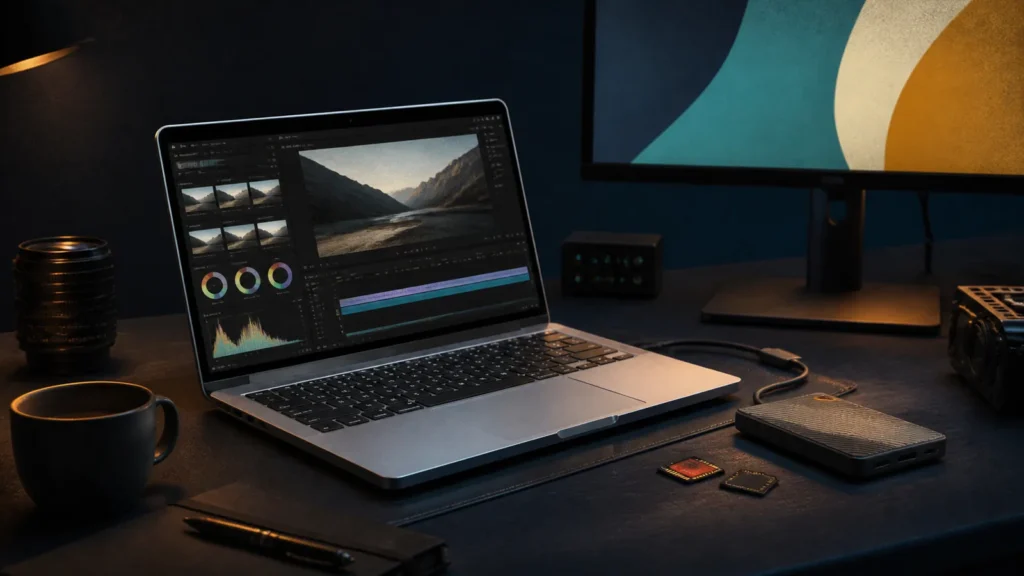
Those differences matter when the laptop sits at the center of a creator setup. An SD card can move camera files without an adapter. HDMI can simplify presentations and temporary displays. The XDR panel is more appropriate for HDR media work than the Air’s standard display. Apple’s dedicated media engines also support professional video formats including ProRes.
Choose the chip for the workload
The standard M5 model already covers a broad range of photo editing, software development, music work, and moderate video production. M5 Pro is easier to justify for sustained compilation, larger timelines, heavier multitasking, or workflows that benefit from more memory bandwidth. M5 Max is a specialist option for workloads that can use its additional GPU and media resources.
Unified memory and internal storage must be chosen at purchase. Premium upgrades can increase the total sharply. The machine is also heavier and more expensive than an Air, and macOS compatibility should be checked before moving a Windows-centered workflow.
Key specifications to compare
| Display | 14.2-inch Liquid Retina XDR |
|---|---|
| Processors | M5, M5 Pro, or M5 Max |
| Connections | Three Thunderbolt ports, HDMI, SDXC, MagSafe, headphone jack |
| Connectivity detail | Thunderbolt 4 on M5; Thunderbolt 5 on M5 Pro and M5 Max |
| Upgradeability | Memory and internal storage are selected at purchase |
Who should buy it—and who should skip it
Buy it if
- Exports, compilation, 3D work, music sessions, or large photo libraries regularly make you wait.
- The XDR display and built-in HDMI or SD card reader remove adapters from your normal workflow.
- You need a portable Mac that can anchor a serious desk setup.
Skip it if
- Most of your work is documents, browser tools, communication, and occasional light editing.
- You are paying for M5 Pro or M5 Max without an application that can use the additional resources.
- Your workflow depends on Windows-only software or user-replaceable components.
How this research-based review was evaluated
We compared the manufacturer’s published processor, memory, storage, display, port, battery-test, and service information with the practical needs of common buyers. Because this is not a hands-on laboratory test, we do not assign a performance score, repeat unverified retailer claims, or present manufacturer battery estimates as guaranteed daily results. The recommendation is based on documented capabilities, upgrade limits, compatibility risks, and the total ownership decisions a buyer must make.
Ownership considerations
Configure memory before storage when both upgrades cannot fit the budget; external storage can be added, unified memory cannot. Check the number and resolution of external displays required by your exact chip. Include the charger, AppleCare+ decision, external storage, dock, and backup drive in the comparison instead of judging the laptop by its starting price.
Alternatives worth comparing
The MacBook Air M5 is the value choice for mainstream macOS work. The Zephyrus G14 is a better comparison when Windows gaming, CUDA-supported tools, or NVIDIA graphics matter. Framework Laptop 13 trades display and GPU specialization for repairability and replaceable memory.
Still deciding? Start with our Best Laptops guide, narrow the field with the Laptop Finder, and place finalists side by side in Compare Laptops. Our guide to how much RAM you need can help you choose a configuration without paying for capacity your work will not use.
First-week verification checklist
Use the return period to confirm the parts no specification sheet can settle for you:
- Install every essential application, plug-in, VPN, security tool, printer, and peripheral.
- Check keyboard comfort, trackpad accuracy, webcam quality, speaker clarity, and fan behavior during your real work.
- Test sleep and wake, Wi-Fi stability, external displays, charging, docks, and every port you expect to use.
- Work at your normal brightness for several days and record realistic battery life rather than relying on a maximum-hour claim.
- Inspect the display in your normal room for glare, text comfort, scaling, touch behavior, and any distracting panel characteristics.
What should you actually do?
List the tasks that currently make you wait. If they involve sustained exports, complex timelines, local development, multiple high-resolution displays, or large media files, compare M5 and M5 Pro using the exact applications you use. If your list is mostly email, documents, web tools, and occasional editing, buy the Air and put the savings toward storage, a display, or backup.
Frequently asked questions
Do most people need M5 Pro?
No. It becomes useful when sustained professional work, additional memory options, or faster connectivity has measurable value.
Can it replace a desktop?
For many creators, yes, especially with external storage and displays. Confirm ports, memory, storage, and software first.
Source: Apple MacBook Pro specifications.
Research-based editorial review. Specifications checked against Apple’s official MacBook Pro technical specifications on August 29, 2026. No hands-on testing is claimed.