Affiliate disclosure: TimewasterAI may earn a commission when you purchase through links on this page, at no additional cost to you.
Your speed test looks fine. Downloads are fast. Streaming works. Nobody else in the house is complaining about the internet.
Then you launch an online game and your ping jumps, packets disappear, or the connection suddenly feels unstable.
That can happen because internet speed is only one part of online gaming performance. The route between your device and the game server matters too.
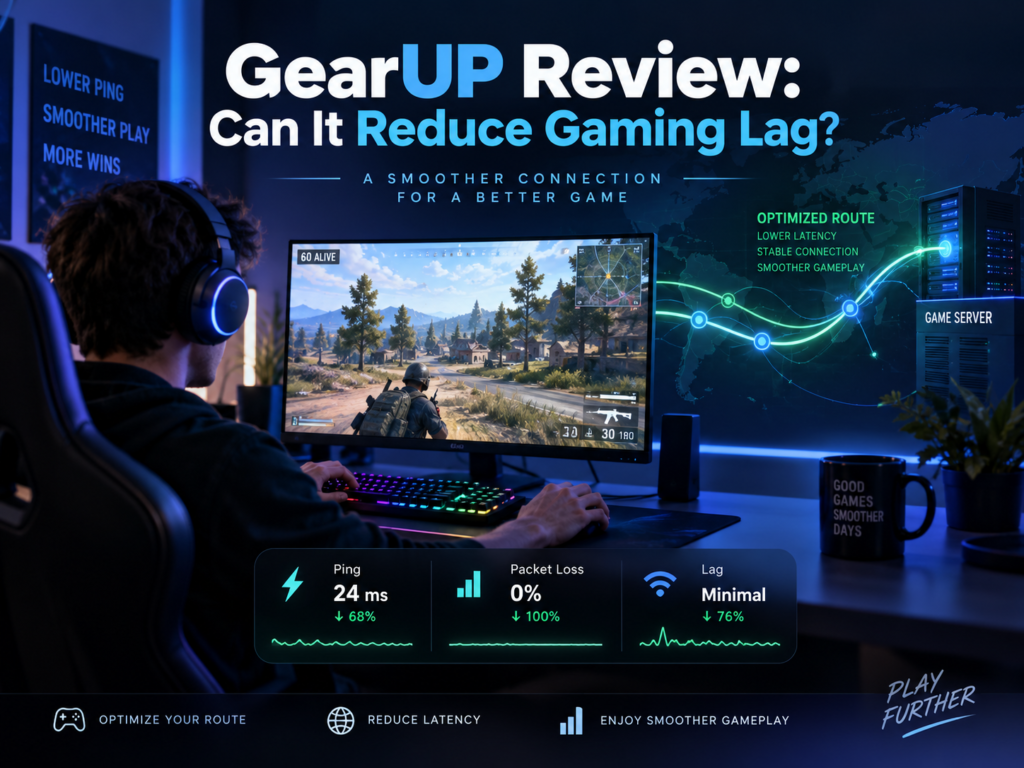
GearUP is designed around that problem. Rather than promising to make your broadband connection faster, it attempts to optimize the path gaming traffic takes to supported game servers.
Review basis: TimewasterAI has not confirmed firsthand testing of GearUP. This review is based on current official GearUP information, current public research, and user-supplied affiliate information. Any performance claims attributed to GearUP are manufacturer claims, not TimewasterAI test results.
Quick Answer
GearUP is a gaming network optimization service designed to improve the route between a player’s connection and supported game servers. GearUP says its Adaptive Intelligent Routing technology can help with high ping, packet loss, jitter, and unstable cross-region connections.
That makes GearUP potentially useful when inefficient or congested routing is contributing to your gaming problems. Results can vary significantly depending on your ISP, location, game, server, and the route you’re already getting.
GearUP cannot repair weak Wi-Fi, replace a failing router, increase the speed of an inadequate internet plan, fix an overloaded game server, or magically eliminate the physical distance between you and a distant server.
Because GearUP currently offers a free trial, the practical approach is to diagnose your home network first and then test GearUP against the same game and server before paying for a longer subscription.
Why Does My Game Lag When My Internet Seems Fine?
A fast internet connection doesn’t automatically mean a low-latency gaming connection.
Gaming lag can come from several different places:
- High latency: Data takes too long to travel between you and the game server.
- Packet loss: Some network packets never reach their destination and may need to be retransmitted.
- Poor ISP routing: Your traffic may travel through an inefficient or congested path.
- Wi-Fi interference: The problem may exist between your gaming device and your router before traffic even reaches the internet.
- Network congestion: Heavy local or internet traffic can affect consistency.
- Distant servers: Physical distance places a practical limit on latency.
- Game-server problems: An overloaded or malfunctioning server isn’t something a local booster can repair.
- Background traffic: Downloads, cloud backups, streaming, updates, and other devices can compete for bandwidth.
- Hardware problems: A struggling router, modem, network adapter, cable, or other equipment can create connection issues.
Before paying for a lag-reduction service, figure out whether the problem is your route to the game server or something inside your own home.
What Is GearUP?
GearUP is a gaming-focused network optimization service. Its purpose is not simply to increase your raw download speed.
GearUP’s current official documentation describes its Adaptive Intelligent Routing, or AIR, technology as a system that selects optimized network paths for gaming traffic.
Think of your normal internet connection as a road trip.
Your ISP decides much of the route your data takes. Sometimes that route is perfectly reasonable. Other times it can encounter congestion or take an inefficient path before reaching the game server.
GearUP attempts to give supported gaming traffic another route.
If the original route is the source of your problem, changing it may help. If the problem is your Wi-Fi, router, game server, or another bottleneck, changing the internet route may accomplish very little.
GearUP Is Actually Several Products
This is important because “GearUP” does not mean exactly the same setup on every device.
- GearUP for Windows is the PC game-optimization application.
- GearUP Mobile is designed for supported games on iOS and Android.
- GearUP Router is a separate system for compatible router and console/PC configurations.
- HYPEREV is GearUP’s separate gaming-router hardware product that works with the GearUP Router system.
GearUP’s own documentation warns that its PC/mobile apps and GearUP Router/HYPEREV system are different products and that their memberships are not automatically interchangeable.

Check GearUP for Your Game
Best first step: See whether GearUP currently supports the game, platform, and server you actually use.
Before paying: Compare the current offer with your specific lag or routing problem.
Check GearUPExplore GearUP Options
What to check: Review the currently available GearUP options and confirm which one applies to your gaming setup.
Remember: Different GearUP products may have different platform and membership requirements.
See Current GearUP OptionsCheck Platform Compatibility
Before subscribing: Confirm that your PC, mobile device, console, or network setup is supported by the GearUP option you’re considering.
Skip it if: Your game or platform isn’t supported.
Check CompatibilityCheck Current GearUP Plans
What to compare: Look at the current subscription terms, trial availability, and plan details before starting a paid membership.
Buying rule: Test the service against your normal gaming connection whenever a trial is available.
See Current PlansSee Whether GearUP Fits Your Setup
Consider it if: Your home network is stable but certain games or servers still suffer from poor routing, high ping, or connection instability.
Skip it for now if: Weak Wi-Fi or failing network hardware is the obvious problem.
Explore GearUPTry GearUP Against Your Normal Connection
The useful test: Compare the same game and server with GearUP off and on across several gaming sessions.
Keep paying only if: Your own results show a repeatable improvement that matters to you.
See GearUP DetailsHow Is GearUP Supposed to Reduce Lag?
GearUP says its system analyzes network conditions and routes supported gaming traffic through optimized paths rather than simply accepting whatever route the normal public connection provides.
The company calls its system Adaptive Intelligent Routing.
The basic concept is believable networking rather than magic: two routes to the same destination do not necessarily perform equally.
If your normal route to a game server is unnecessarily long, congested, or unstable, an alternative route can potentially improve latency or consistency.
But there is no reason to assume the alternative route will always be better.
If your ISP already provides an efficient route to the server, there may be little room for GearUP to improve it.
Does GearUP Actually Lower Ping?
It may lower ping when routing is contributing to the high latency, but you should not assume that it will.
GearUP markets its service around reducing ping and improving connection stability. Its official site also provides a ping-testing feature intended to show users how its optimized route compares with their existing connection.
Real results should be expected to vary by:
- ISP
- country and region
- game
- selected game server
- time of day
- current internet routing
- local network quality
Suppose your normal route is already excellent. GearUP cannot create a huge improvement out of nothing.
On the other hand, if your ISP is sending traffic through a poor route to a particular server, rerouting that traffic has a plausible opportunity to help.
That is exactly why GearUP should be tested against your own connection rather than judged entirely from somebody else’s ping screenshots.
Can GearUP Help With Packet Loss?
Packet loss means some of the data being sent across the network fails to reach its destination successfully.
In games, that can contribute to rubber-banding, delayed actions, unstable movement, disconnects, or other network-related problems.
GearUP officially markets its network optimization as helping reduce packet loss as well as ping, jitter, and cross-region instability.
Again, the cause matters.
If packets are being lost along a problematic internet route, moving gaming traffic onto a more stable route may help.
If packets are being lost because your Wi-Fi connection is weak, your Ethernet cable is damaged, your router is malfunctioning, or the game server itself is having problems, GearUP is not fixing the underlying cause.
What Platforms Does GearUP Support?
GearUP currently advertises support across Windows, iOS, Android, PlayStation, Xbox, Nintendo Switch, Steam Deck, PICO, and Oculus Quest through its different products and connection methods.
Windows
The current GearUP Windows page lists Windows 7, 8, 10, and 11 in both 32-bit and 64-bit versions, 200 MB of available storage, and a broadband internet connection as its listed system requirements.
Mobile
GearUP has a separate mobile product for iOS and Android games. Its current mobile instructions involve selecting a supported game, selecting the appropriate server when applicable, enabling Boost, and then launching the game.
Consoles
Console support needs a little more explanation because you do not simply install the normal PC application on a PlayStation or Xbox.
GearUP currently supports console optimization through compatible router integrations and its HYPEREV/GearUP Router ecosystem. GearUP lists PlayStation, Xbox, Nintendo Switch, and other gaming devices among supported platforms.
Check the current instructions for your exact console and network hardware before paying for a membership.
What Games Does GearUP Support?
GearUP currently says it supports more than 3,000 games across its platforms.
Rather than relying on a huge static list in this review, use GearUP’s current supported-games search to check the exact game, platform, and server you care about.
This is especially important if you’re considering GearUP for one particular game. A giant supported-game count is irrelevant if the one server you need isn’t available.
GearUP Pricing and Free Trial
GearUP’s current User Agreement says memberships may begin with a three-day free trial, unless a different trial period is displayed during signup. Billing begins after the trial unless the subscription is canceled beforehand.
Pricing differs between GearUP products and can also depend on platform, region, subscription length, and the purchase channel.
At the time of this research, GearUP’s public shop listed a one-month Mobile membership at $6.99 USD and a one-month GearUP Router membership at $9.99 USD. Those particular public shop listings were also marked sold out when checked, so availability should be confirmed directly.
Current Windows membership pricing: Verification needed. I could not verify a single current public U.S. Windows price from GearUP’s official public pages with enough confidence to publish one here. Check the current offer shown during signup rather than relying on an older price from another review.
GearUP’s current general User Agreement says purchases are normally final, non-refundable, and non-cancellable except where the agreement or applicable law provides otherwise. It includes different cancellation/refund rights for certain regions, including the EEA, Switzerland, United Kingdom, and South Korea.
Use the Trial as an Actual Test
Don’t judge GearUP because another gamer claims it dropped their ping. Test your game, your ISP, your region, and your server.
How I Would Test GearUP
Because TimewasterAI has not independently tested GearUP yet, the most useful thing we can do is give you a repeatable test you can run yourself.
- Choose one game and one server. Don’t change regions halfway through the comparison.
- Record your normal connection. Note average ping and packet loss when the game exposes those measurements.
- Watch the spikes. A 40 ms average doesn’t tell the whole story if the connection repeatedly jumps to 200 ms.
- Test at a consistent time. Comparing Tuesday afternoon with Saturday night introduces another variable.
- Enable GearUP. Use the same game, server, device, and home network.
- Repeat the session. Record average ping, spikes, packet loss, disconnects, and what gameplay actually feels like.
- Repeat on several days. One unusually good or bad match isn’t enough evidence.
Ideally, keep a simple table of results. Compare both average latency and consistency.
The useful question isn’t “Did GearUP show me a lower number once?” It is “Does GearUP repeatedly improve my connection to the games and servers I actually play?”
Who Should Consider GearUP?
GearUP is most interesting when you have already ruled out obvious problems inside your home network but still get poor results to particular game servers.
Consider testing it if:
- Your connection is normally stable but certain games or regions have unusually high ping.
- Your latency changes dramatically depending on which game server you select.
- You play on distant or international servers.
- You experience recurring routing-related instability or jitter.
- Your normal internet performance is good but your path to a particular gaming server appears poor.
- You play competitively enough that connection consistency matters to you.
Who Should Skip GearUP?
Don’t start with GearUP if the problem is obviously somewhere else.
- Your Wi-Fi signal is weak or unstable.
- Your router or modem is malfunctioning.
- Your Ethernet cable or network adapter is faulty.
- Your entire internet connection drops, not just the game.
- Someone is saturating the connection with downloads or uploads.
- The game servers are currently experiencing an outage.
- Your connection to the game is already stable and low-latency.
- You expect GearUP to increase the raw speed of your internet plan.
- Your game, server, or platform is unsupported.
Network optimization software cannot compensate for every bad connection.
GearUP vs. a VPN
GearUP and a conventional VPN can both affect the path internet traffic takes, but they are not the same product category.
A general-purpose VPN is usually designed around broader traffic tunneling, privacy, security, or changing the apparent network location.
GearUP is specifically designed around gaming traffic and selecting routes intended to improve game connectivity. Its official material describes the service as connection optimization rather than a gameplay modification.
That doesn’t mean a gaming optimizer will always produce a faster route. It means route optimization is the problem GearUP is designed to address.
GearUP vs. Fixing Your Home Network
Before paying anyone to optimize the internet route, make sure the first few feet of that route aren’t the actual problem.
Try Ethernet
If possible, connect your PC or console directly to your router with Ethernet and test again.
If the lag disappears, your Wi-Fi environment deserves attention before a routing service does.
Check Router Placement
If Ethernet isn’t practical, reduce distance and obstacles between the gaming device and Wi-Fi access point where possible.
Stop Background Traffic
Pause large downloads, game updates, cloud backups, and other heavy network activity. Check whether another device is consuming a large share of the connection.
Restart and Inspect Your Network Hardware
Aging or malfunctioning routers, modems, cables, and adapters can create instability that no external route optimizer can repair.
Check the Game Server
If everyone is complaining about the same server at the same time, the problem may not be yours to solve.
Compare Servers
If one region performs badly while another nearby server is stable, the difference can help you narrow down whether distance or routing is involved.
GearUP Pros
- It targets a real networking problem. Poor routing can affect gaming even when a normal speed test looks healthy.
- It is gaming-focused. GearUP is built around game/server routing rather than general web browsing.
- It supports multiple gaming ecosystems. GearUP currently offers products for Windows, mobile, and console/router configurations.
- There is a trial path. Current terms describe a three-day free trial unless signup specifies otherwise, making personal testing more practical.
- It supports thousands of games. GearUP currently advertises more than 3,000 supported games, although you should still check your exact title and platform.
GearUP Limitations
- Results are connection-specific. Someone else’s ping improvement tells you very little about your ISP and route.
- It cannot fix every cause of lag. Local Wi-Fi, hardware failures, server outages, and inadequate internet service require different solutions.
- It cannot eliminate geography. Routing improvements cannot remove the physical distance between continents and servers.
- The product lineup can be confusing. PC, Mobile, GearUP Router, and HYPEREV have different use cases and memberships.
- Pricing isn’t equally transparent across every platform. Confirm the exact current subscription price before starting a paid plan.
- Refunds are limited. GearUP’s general terms state that purchases are normally final unless another provision or applicable law provides otherwise.
Buying Decision
Fix Your Home Network First If…
Your Wi-Fi is weak, your router is unreliable, background traffic is saturating the connection, or every internet activity is unstable. GearUP isn’t the first fix for those problems.
Consider Trying GearUP If…
Your local connection is stable but certain games, servers, or regions consistently give you high ping, packet loss, jitter, or an obviously poor route. This is the scenario that most closely matches the problem GearUP is designed to address.
Keep It Only If Your Tests Show a Repeatable Improvement
Use the trial to compare several gaming sessions. If average ping, spikes, packet loss, or connection stability meaningfully improve in the games you actually play, you have evidence relevant to your own setup. If nothing improves, don’t keep paying just because the software is called a game booster.
GearUP FAQ
What is GearUP?
GearUP is a gaming network optimization service designed to route supported game traffic through optimized network paths. Its official service focuses on high ping, packet loss, jitter, and connection instability rather than modifying gameplay.
Does GearUP lower ping?
It may when inefficient or congested routing is contributing to your latency. It cannot guarantee a lower ping for every ISP, region, game, or server, so the useful approach is to test it against your normal route.
Can GearUP fix packet loss?
GearUP says its network optimization can help reduce packet loss. Whether it helps you depends on where the packets are being lost. Packet loss caused by weak local Wi-Fi or faulty home-network hardware needs to be fixed at its source.
Is GearUP a VPN?
Not in the ordinary general-purpose VPN sense. GearUP is positioned as a gaming network optimization service that routes supported gaming traffic through optimized paths. A conventional VPN is typically designed for broader traffic tunneling, privacy, security, or location-related uses.
Does GearUP work on consoles?
Yes, GearUP currently supports console gaming through its console/router ecosystem, including supported PlayStation, Xbox, and Nintendo Switch configurations. Check the current setup requirements because console boosting differs from simply installing the Windows or mobile app.
Does GearUP work on mobile?
Yes. GearUP has a separate mobile product for supported iOS and Android games.
Is there a free trial?
GearUP’s current User Agreement says a membership may begin with a three-day free trial unless a different period is specified during signup. Check the exact trial terms before starting because billing begins after the trial unless you cancel in time.
Will GearUP increase my internet speed?
That isn’t the main problem GearUP is designed to solve. Its official positioning focuses on optimizing gaming routes and connection stability rather than increasing the raw broadband speed purchased from your ISP.
Is GearUP worth it?
That depends heavily on your route to the games you play. If GearUP produces a repeatable improvement in latency, packet loss, spikes, or stability during controlled testing, its routing service may be useful to you. If your existing route is already good or your lag comes from Wi-Fi, hardware, or the game server, paying for it may provide little benefit.
The Bottom Line
GearUP addresses a real problem that is easy to misunderstand.
You can have fast broadband and still get a poor route to a game server. In that situation, changing the route may help without changing your ISP or buying faster internet.
But “lag” is not one problem. It is a symptom with many possible causes.
Fix obvious Wi-Fi, hardware, background-traffic, and server problems first. Then, if your connection is stable but particular games or regions still perform poorly, GearUP is the kind of tool that makes sense to test.
Don’t subscribe because GearUP promises a better route. Subscribe only if your own repeated tests show that the better route actually exists for the games you play.
Check Your Game Before Paying
Confirm that GearUP supports your exact game, platform, and server. Then check the current trial and subscription terms and compare your connection before and after enabling it.