Affiliate disclosure: TimewasterAI may earn a commission when you purchase through links on this page, at no additional cost to you.
See the RAM Picks on Amazon
Want to compare the current listings, capacities, and prices for the RAM kits featured in this guide? You can view the Amazon collection below.
Affiliate disclosure: This link may be an affiliate link. If you make a purchase through it, TechnofluxAI may earn a commission at no additional cost to you.
Shopping for RAM looks simple until you start seeing numbers like DDR5-6000, CL30, EXPO, XMP and 1.4V thrown around like everybody was born knowing what they mean.
The biggest mistake is assuming the kit with the largest speed number automatically wins. Memory performance is a combination of speed, latency, capacity, platform support and stability. Paying more for a faster specification that your system cannot run reliably isn’t much of an upgrade.
For this comparison, I narrowed the current desktop market down to five RAM kits that make sense for different types of buyers. This is a research-based comparison of specifications, compatibility and buying value rather than a pretend benchmark where I claim to have tested hardware I haven’t tested.
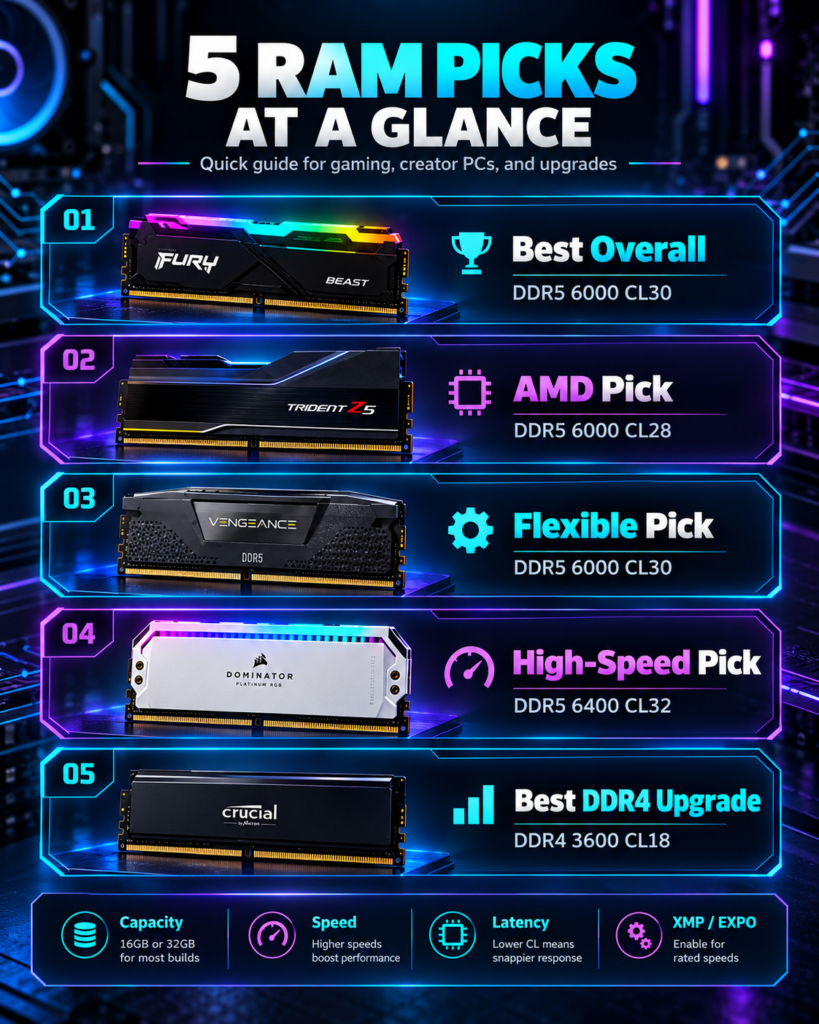
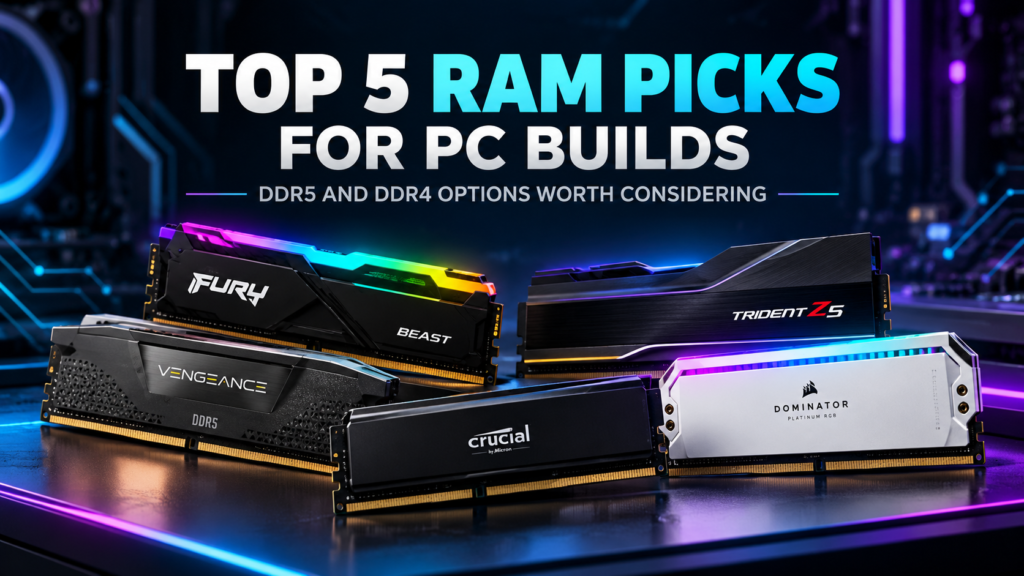
The 5 RAM Kits I’d Put on the Shortlist
| RAM Kit | Specification | Best For |
|---|---|---|
| Corsair Vengeance | 32GB DDR5-6000 CL30 | Best overall |
| G.Skill Trident Z5 Neo RGB | 32GB DDR5-6000 CL28 | AMD performance builds |
| Kingston FURY Beast RGB | 32GB DDR5-6000 CL30 | Flexible compatibility |
| Crucial Pro Overclocking | 32GB DDR5-6400 CL32 | Higher-speed builds |
| Corsair Vengeance LPX | 32GB DDR4-3600 CL18 | Existing DDR4 PCs |
What Actually Matters When You Buy RAM?
Capacity
32GB is an easy recommendation for a modern creator or gaming PC because it gives you room for browsers, editing tools, games and background applications without jumping immediately to workstation-level capacity.
Speed
DDR5-6000 and DDR5-6400 are both fast enough that platform compatibility can matter more than chasing another few hundred MT/s.
Latency
CL30 is generally preferable to CL36 at the same memory speed. Don’t compare frequency while completely ignoring timings.
XMP or EXPO
Intel XMP and AMD EXPO provide tested memory profiles you can enable through a supported motherboard BIOS instead of manually entering every memory setting.
Important: advertised high-speed memory settings are normally overclocked memory profiles. Your CPU, motherboard, BIOS and memory controller still determine whether a particular configuration will run at its rated specification.
1. Corsair Vengeance DDR5-6000 CL30 — Best Overall
Best for: A modern gaming, creator or general high-performance PC where you want fast DDR5 without paying extra just for aggressive styling.
Configuration reviewed: 32GB (2x16GB), DDR5-6000, CL30.
Corsair Vengeance lands in the safest part of this list because the specification makes sense without getting ridiculous. A 32GB DDR5-6000 CL30 kit gives a modern desktop plenty of memory capacity while combining strong frequency with relatively low latency.
I also like the understated heat-spreader design for practical builds. Huge RGB modules aren’t automatically faster, and lower-profile memory can make life easier when you’re working around a large air cooler.
Who should buy it: Someone building a modern DDR5 PC who wants a balanced specification and doesn’t need RAM to be the visual centerpiece of the machine.
Who should skip it: Anyone with a DDR4-only motherboard. DDR4 and DDR5 aren’t interchangeable.
2. G.Skill Trident Z5 Neo RGB DDR5-6000 CL28 — Best for AMD Enthusiasts
Best for: AM5 builders who care about tighter timings, AMD EXPO support and enthusiast-level styling.
Configuration reviewed: 32GB (2x16GB), DDR5-6000, CL28.
The Trident Z5 Neo line is aimed squarely at performance-oriented AMD systems. The 6000 MT/s CL28 variant tightens the primary latency compared with many CL30 and CL36 kits while staying around a memory speed commonly targeted in performance AM5 builds.
It also supports AMD EXPO, so compatible boards can load the manufacturer’s tested profile without requiring you to tune every timing manually.
The catch is straightforward: don’t buy it just because CL28 looks impressive in a specification table. Check the exact motherboard and CPU compatibility first. G.Skill maintains qualified-vendor information for individual kits, and those exact part numbers matter.
Who should buy it: An AMD enthusiast building a performance-focused desktop who is willing to verify motherboard compatibility.
Who should skip it: A buyer who simply needs a stable everyday machine and would rather save money than chase tighter timings.
3. Kingston FURY Beast RGB DDR5-6000 CL30 — Best Flexible Pick
Best for: Builders who want DDR5-6000 CL30 plus support for both major memory-profile ecosystems.
Configuration reviewed: 32GB (2x16GB), DDR5-6000, CL30.
Kingston’s 32GB FURY Beast kit is interesting because its published profiles include both AMD EXPO and Intel XMP support. That doesn’t magically guarantee every motherboard will run every profile, but it makes the kit less platform-specific than some competing options.
The rated DDR5-6000 CL30 profile runs at 1.4V, while the memory also has slower default JEDEC settings it can fall back to before you enable an overclocking profile in BIOS.
Who should buy it: Someone who values a strong 6000 CL30 specification but doesn’t want the kit tied too narrowly to one CPU platform.
Who should skip it: Anyone who doesn’t care about RGB and finds an equivalent non-RGB kit meaningfully cheaper.
4. Crucial Pro Overclocking DDR5-6400 CL32 — Best Higher-Speed Option
Best for: A system that can make good use of DDR5-6400 and where the motherboard’s compatibility list supports the kit.
Configuration reviewed: 32GB (2x16GB), DDR5-6400, CL32.
Crucial’s Pro Overclocking kit moves the headline speed to 6400 MT/s while keeping CAS latency at CL32. On paper, that’s an attractive balance of bandwidth and latency instead of pushing frequency while letting timings become excessively loose.
This is also where buying by specification alone can get you into trouble. The fastest rated kit on the page isn’t automatically the fastest choice inside your PC. CPU memory controllers and motherboard BIOS support still matter.
Who should buy it: Someone with a platform known to handle DDR5-6400 reliably who wants additional memory bandwidth.
Who should skip it: Someone who would have to pay a major premium over a solid DDR5-6000 CL30 kit for a difference they may never notice in normal work.
5. Corsair Vengeance LPX DDR4-3600 CL18 — Best DDR4 Upgrade
Best for: Extending the useful life of a DDR4 system without replacing the motherboard and CPU.
Configuration reviewed: 32GB (2x16GB), DDR4-3600, CL18.
DDR5 dominates new performance builds, but that doesn’t mean every DDR4 owner should throw away a perfectly usable computer. If your existing motherboard supports DDR4 and you’re running short on capacity, a 32GB DDR4-3600 kit can be a much cheaper upgrade than rebuilding the entire platform.
Vengeance LPX also uses a relatively compact heat spreader, which can be useful in older systems with bulky tower CPU coolers.
The key distinction is that this is an upgrade recommendation, not my first choice for a completely new high-end build in 2026.
Who should buy it: Someone keeping a capable DDR4 PC for another few years.
Who should skip it: Someone buying a new motherboard and CPU platform that already supports DDR5.
My RAM Buying Decision Framework
New DDR5 gaming or creator PC: Start around 32GB and DDR5-6000 CL30, then check the motherboard QVL before spending more.
Performance AMD build: Look closely at EXPO-certified 6000 MT/s kits with tight timings.
Intel or high-bandwidth build: A 6400 MT/s kit can make sense when your CPU and board support it well.
Existing DDR4 computer: Upgrade capacity before replacing the entire platform just to get DDR5.
Heavy creator or local-AI workload: Capacity may matter more than another small jump in memory frequency. If you’re regularly exhausting 32GB, moving to 64GB can be more useful than buying a faster 32GB kit.
Don’t Buy RAM Until You Check These Five Things
1. DDR4 or DDR5?
Your motherboard determines which generation you can use. You cannot install DDR5 into a DDR4-only board or vice versa.
2. Is the Exact Kit Compatible?
Don’t stop at the brand name. Memory manufacturers can sell several kits with nearly identical names but different timings, capacities and profile support. Check the exact part number against your motherboard’s memory support information whenever possible.
3. Are You Buying Capacity or Benchmark Numbers?
If your applications regularly push beyond your current memory capacity, adding more RAM can matter far more than moving from one already-fast memory frequency to another.
4. Will It Fit Under Your CPU Cooler?
Tall RGB modules can interfere with some large air coolers. Check DIMM height and cooler clearance before ordering.
5. Did You Enable the Memory Profile?
Installing a high-speed kit does not necessarily mean the computer will immediately run at the advertised overclocked speed. Check your BIOS and confirm that the appropriate XMP or EXPO profile is enabled and stable.
DDR5-6000 CL30 vs DDR5-6400 CL32: Which Is Better?
There isn’t one answer for every CPU. DDR5-6400 provides more theoretical bandwidth, while a DDR5-6000 CL30 kit combines slightly lower headline frequency with tight CAS latency. The better choice depends on your platform, application and stability.
For a normal buying decision, I’d choose a compatible DDR5-6000 CL30 kit at a sensible price before paying a large premium simply to get 6400 written on the box.
Do You Need 64GB of RAM?
For ordinary gaming and general desktop work, 32GB is already comfortable for many users. The argument for 64GB becomes stronger if you’re working with large video projects, virtual machines, very large creative files, multiple demanding applications or local AI workloads that genuinely consume the additional memory.
That last part matters. Buying 64GB because somebody on a forum said it’s “future-proof” isn’t the same thing as having a workload that actually needs it.
What I’d Choose
If I were narrowing the list down strictly by specification and practicality, the Corsair Vengeance DDR5-6000 CL30 is the easiest all-around recommendation. It hits a strong combination of capacity, speed and latency without requiring the buyer to chase the highest number on the package.
For an AMD-focused enthusiast build, the G.Skill Trident Z5 Neo RGB DDR5-6000 CL28 deserves a closer look. Kingston’s FURY Beast is attractive if profile flexibility matters, while Crucial’s DDR5-6400 CL32 kit is the more interesting option for a system that can genuinely benefit from the higher speed.
And if your current computer still uses DDR4, don’t let DDR5 marketing convince you that your only option is a complete rebuild. A sensible 32GB DDR4 upgrade can still be the smarter purchase.
Final Take
The best RAM isn’t simply the fastest RAM. The better purchase is the kit that gives you enough capacity, works properly with your CPU and motherboard, fits your build and doesn’t make you pay heavily for performance you won’t use.
Check your motherboard first. Decide how much memory your workload really needs second. Then compare speed and timings.
That’s a much better buying strategy than sorting a store page by MHz and assuming the biggest number wins.