Affiliate disclosure: TimewasterAI may earn a commission when you purchase through links on this page, at no additional cost to you.
A gaming chair can look great in a setup and still be the wrong chair for the person sitting in it.
After a few hours, the problems become easier to notice: your elbows don’t line up with the desk, the seat feels too deep or too narrow, the lumbar support doesn’t sit where you need it, or you keep shifting around trying to find a better position.
AutoFull sells gaming chairs designed around gaming, streaming, home-office use, and extended desk sessions. Its current lineup includes the M6 and G7 families, with different approaches to lumbar support, headrests, armrests, recline, upholstery, and other adjustments.
Review basis: TimewasterAI has not confirmed firsthand testing of AutoFull chairs. We have not sat in these chairs, assembled them, measured their comfort, verified long-term durability, or independently tested their lumbar-support systems. This review is based on current official AutoFull information, public research, and supplied affiliate materials.
Quick Answer
AutoFull currently sells adjustable gaming chairs aimed at gamers, streamers, creators, and people using gaming-style desk setups.
Its current lineup goes beyond simply putting racing-style upholstery on a basic chair. Depending on the model, AutoFull offers adjustable or dynamic lumbar support, multi-directional armrests, adjustable head support, deep recline, footrests, mesh or leather-style materials, and other ergonomic adjustments.
That does not automatically make an AutoFull chair comfortable for you.
The biggest buying consideration is fit. Seat depth, seat height, armrest range, lumbar position, user height, weight capacity, desk height, and available recline space matter more than whether the chair looks good beside your gaming PC.
AutoFull may make sense if you want gaming-focused styling and a substantial amount of adjustment. Someone who prefers understated office furniture, breathable task seating, or highly specialized ergonomic office-chair adjustments should compare conventional office chairs too.
The Real Problem With Long Desk Sessions
There isn’t one chair feature that automatically makes hours of sitting comfortable.
A seat can have a thick cushion and still be a poor fit. A lumbar system can offer several adjustments but still sit in the wrong position for a particular person. Expensive armrests don’t help much if they cannot align with your desk and keyboard.
Long desk sessions can become uncomfortable when several small fit problems add up:
- the seat is too wide, narrow, deep, or shallow for the user
- lumbar support does not align well with the person’s sitting position
- armrests cannot get close enough to the keyboard or controller position
- chair and desk heights do not work well together
- the user stays in one position for too long
- recline or movement is too restricted
- the chair occupies more room than the setup can comfortably accommodate
No gaming chair eliminates the need to move around during long sessions. And a chair should not be treated as a medical solution for back, neck, shoulder, or other pain.
The chair that fits your body and desk is more useful than the chair that looks best in somebody else’s gaming setup.
What Is AutoFull?
AutoFull is a gaming-furniture company whose current U.S. product lineup centers on gaming chairs and gaming desks.
The chair lineup currently includes the M Series and G Series. AutoFull also sells its A4 Pro electric gaming desk and chair-and-desk bundles.
Current chair options range from the G7 family to M6 models with features such as active cooling, heating, massage on selected versions, adjustable lumbar systems, multi-directional armrests, head support, recline, and integrated footrests.
What Actually Matters in a Gaming Chair?
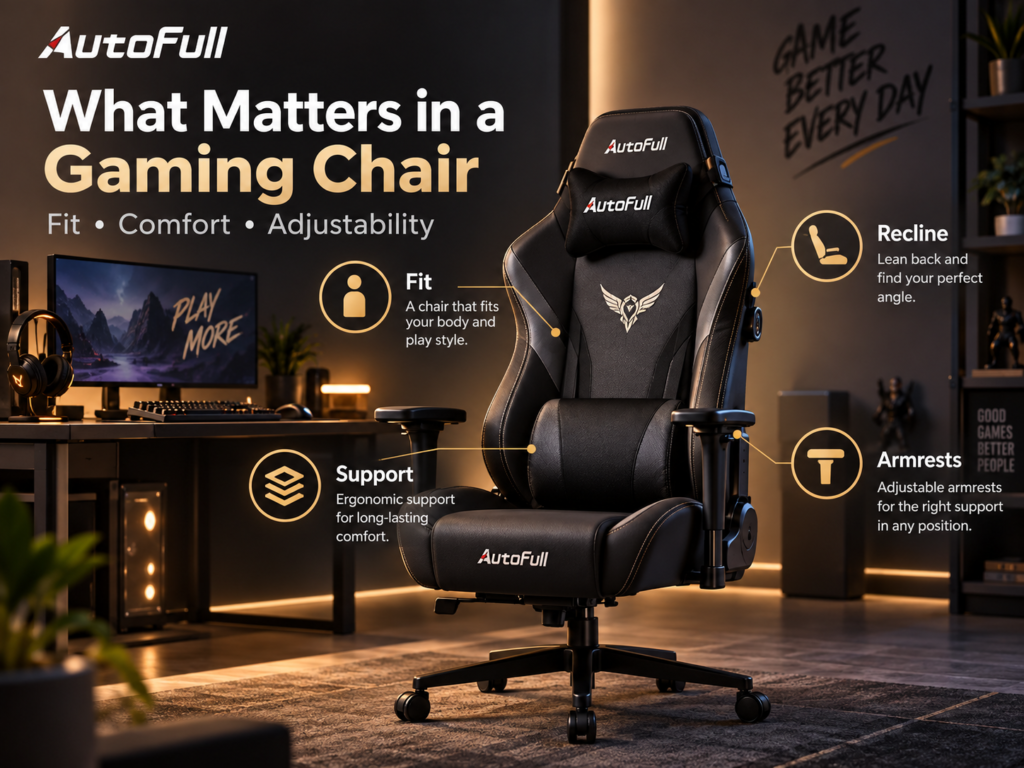
Before looking at colors, RGB lighting, or aggressive gaming styling, check the measurements and adjustments.
Seat Size
Seat width and depth affect where your legs sit and whether you can use the backrest naturally. A seat that is too deep can make it difficult for a shorter user to sit fully against the backrest. A seat that is too small can feel restrictive.
Seat Height
The chair needs to work with both your body and your desk. Your preferred seat-height range should allow a practical foot position while keeping your keyboard, mouse, or controller at a workable height.
Lumbar Support
Adjustment matters because people do not have identical backs or sitting positions. AutoFull currently uses different lumbar systems across its chair lineup rather than one identical design on every model.
Armrests
Armrest height, forward/backward movement, rotation, and width can matter during keyboard-and-mouse gaming, controller gaming, typing, and video editing.
Recline
Recline can provide another sitting position during breaks, media viewing, or less intensive work. Current AutoFull models vary in their maximum recline.
Materials
Some buyers prefer a softer upholstered surface while others prioritize airflow. AutoFull’s current models use different combinations of mesh, leather-style surfaces, foam, and other materials, so this should be checked model by model.
Fit Matters More Than the AutoFull Logo
This is the section I would read before buying any of these chairs.
AutoFull has several models, and their specifications are not interchangeable. Do not assume that measurements or limits listed for one M6 or G7 version apply to every AutoFull chair.
Before ordering, check:
- recommended user height
- weight limit
- seat height range
- seat depth and width
- backrest dimensions
- lumbar adjustment range
- armrest adjustment range
- your desk height
- clearance underneath the desk
- space behind the chair when reclined
For example, AutoFull currently recommends roughly 160–190 cm (about 5’3″–6’3″) for several M6 models. AutoFull’s comparison information currently lists a recommended weight of 396 pounds for the M6 Ultra 2.0, while its M6 Pro product page contains conflicting weight information in different portions of the same page.
Verification warning: Because AutoFull’s current pages contain some inconsistent specification fields, verify the exact size and weight specifications on the specific chair page before ordering. Do not use a specification from another AutoFull model as a substitute.
What Does the AutoFull G7 Offer?
The G7 is one of AutoFull’s current ergonomic gaming-chair families.
AutoFull currently lists a three-zone adaptive lumbar system, adjustable headrest, highly adjustable armrests, adjustable seat/backrest controls, integrated footrest, and recline up to 140 degrees.
The current specifications list a Class 4 gas lift, PU casters and a 70 cm wheelbase. AutoFull lists mesh across important portions of the seating system, with protein leather used on selected components.
Again, these are manufacturer specifications. TimewasterAI has not independently confirmed how supportive or comfortable those systems feel during a long gaming session.
What About the AutoFull M6?
The M6 family takes a somewhat different approach.
Current models include the M6 Ultra 2.0, M6 Pro Active Cooling, and M6 Ultra+ 2.0 Shiatsu Massage versions.
The current M6 Pro, for example, lists ventilation and heating, dynamic lumbar support, multi-directional armrests, an integrated footrest, and recline up to 160 degrees.
The M6 Ultra 2.0 also emphasizes adjustable lumbar support and highly adjustable armrests, while the Ultra+ adds massage functionality.
Those extra systems also increase complexity and price. A buyer who simply wants a solid adjustable chair may not benefit from paying for cooling, heating, massage, or other specialized features.
Armrests Matter More Than They Look
Armrests are easy to ignore on a product page, but they can have a major effect on how a chair works with a desk.
The G7’s current armrest specification includes height adjustment, forward/backward movement, dual rotation, and flip-up adjustment.
That can provide more positioning options for gaming, typing, editing, or using a controller.
The relevant question isn’t how many directions AutoFull can advertise. It is whether the armrests can actually reach a useful position relative to your desk, shoulders, keyboard, mouse, and controller.
Materials and Build
Materials vary across AutoFull models.
The current G7 specifications include mesh on the backrest, seat, and headrest, PU foam on the armrest pads, a Class 4 gas lift, PU casters, and a frame structure AutoFull describes as nylon reinforced with glass fiber.
Current M6 models use different combinations of leather-style upholstery, foam, mesh, metal frames and other materials depending on the version.
Do not buy based on the word “gaming” or assumptions about what is premium. Decide whether you prefer a more breathable mesh surface, upholstered feel, firmer support, or softer padding and then compare the exact model.
Does Assembly Require Work?
Yes. AutoFull provides assembly instructions and assembly videos for multiple chair models through its support site.
That means buyers should expect chair assembly rather than delivery of a completely assembled chair.
I did not find a sufficiently reliable official universal assembly-time estimate that applies to the current lineup, so I would not promise that assembly takes a particular number of minutes.
After assembly, check the chair carefully before beginning long sessions: bolts, armrests, base, wheels, backrest attachment, recline mechanism, and any model-specific electrical or mechanical components.
Current AutoFull Pricing
AutoFull’s current U.S. catalog shows several distinct price levels.
At the time of this research, examples included:
- AutoFull M6 Pro Active Cooling: $449.99
- AutoFull G7: $569.99
- AutoFull G7 RGB: $589.99
- AutoFull M6 Ultra 2.0: $599.99 on one current listing
- AutoFull M6 Ultra+ 2.0 Shiatsu Massage: $899.99
AutoFull is currently displaying sale/reference pricing on several models. Because those promotions and reference prices can change, check the live product page rather than treating today’s sale price as permanent.
The supplied “Fall Upgrade Sale” creative should likewise be treated as advertising material rather than proof that a specific discount will still be available when you read this.
See current AutoFull pricing and models
Warranty, Returns and Shipping
AutoFull’s current warranty policy states that chair structural frames receive a lifetime warranty against covered manufacturing defects and structural failure under normal use. Other components receive limited coverage of up to three years.
Its current return policy allows return or exchange requests within 30 days of receiving the product, subject to its eligibility requirements. For non-quality-related returns, customers are responsible for return shipping. AutoFull covers return shipping when a return results from a defect, damage, or incorrect item under the conditions described in its policy.
AutoFull currently advertises free shipping on orders through its U.S. support/store materials, although buyers in locations such as Alaska, Hawaii, or Puerto Rico should check the specific product and checkout terms.
What About AutoFull Gaming Desks?
AutoFull also currently sells the A4 Pro RGB electric gaming desk and bundles it with several M6 and G7 chairs.
A matching desk is not necessary to use an AutoFull chair. More important is whether your existing desk height and clearance work with the chair’s seat and armrest ranges.
If you are replacing both pieces, measuring them together before ordering can prevent a situation where adjustable armrests collide with the desktop or the chair cannot tuck under the desk.
How I Would Test an AutoFull Chair
TimewasterAI has not performed this test. If we later obtain and test an AutoFull chair, this is the process I would use.
- Measure first. Record the user’s height, preferred seat position, desk height, available floor space, and under-desk clearance.
- Assemble the chair. Follow AutoFull’s instructions and note any unclear steps rather than assuming assembly is easy.
- Check the finished build. Look for wobble, uneven components, loose fittings, wheel movement, and obvious defects.
- Start with a normal work session. Type, browse, edit, or work as you normally would.
- Run a 2–3 hour gaming session. Pay attention to where pressure or discomfort develops rather than judging the chair after five minutes.
- Adjust lumbar and head support. Determine whether their useful adjustment ranges actually fit the user.
- Test the armrests. Compare keyboard-and-mouse, controller, typing, and relaxed positions.
- Try the recline. Check stability and required clearance.
- Repeat over several sessions. Initial impressions do not establish long-term comfort.
- Recheck the hardware. After regular use, inspect bolts, movement, squeaks, wobble, casters, armrests, and adjustment mechanisms.
The useful question isn’t “Does this chair have a lot of features?” It’s “Can I adjust those features into positions that actually fit me?”
Who Should Consider AutoFull?
AutoFull makes the most sense for someone who actually wants the combination of gaming-chair styling and substantial adjustment.
Consider an AutoFull chair if you:
- spend long periods gaming or working at a desk
- want adjustable lumbar, head, arm, and recline positioning
- like gaming-oriented chair styling
- switch between gaming, streaming, editing, and work
- want a chair with a deeper recline than many conventional task chairs
- have checked the exact model’s dimensions against your body and desk
Who Should Skip AutoFull?
An AutoFull gaming chair may not be the right purchase if:
- you prefer understated office-chair styling
- you specifically want a lightweight breathable office task chair
- you need specialized ergonomic adjustments that a particular AutoFull model does not provide
- you are outside the verified size or weight recommendations for the chair you’re considering
- your room does not have enough clearance for the chair and its recline
- you rarely spend significant time at a desk
- your main goal is simply buying the least expensive chair possible
AutoFull vs. Cheap Gaming Chairs
The useful comparison isn’t logo versus logo.
Compare the actual specifications.
A lower-priced gaming chair may be completely adequate if its seat dimensions, height range, armrests, recline, support, and construction suit you.
When comparing it with an AutoFull model, look at:
- seat dimensions and recommended user size
- lumbar adjustment
- armrest movement
- head support
- recline range
- frame and base construction
- caster design
- upholstery
- warranty coverage
- return costs and conditions
- replacement-part support
Paying more makes sense only when the additional features solve something you care about.
AutoFull vs. an Ergonomic Office Chair
Gaming chairs and traditional office chairs often approach sitting differently.
A gaming chair may emphasize a taller backrest, head support, deeper recline, footrest, upholstered surfaces, and gaming aesthetics.
A traditional ergonomic task chair may instead emphasize breathable mesh, understated styling, active sitting, task-oriented adjustment, or a different seat and backrest design.
Neither category is universally better.
If you work at a desk eight hours a day and barely game, include good office chairs in your comparison. If you game, stream, watch media, and want substantial recline and gaming styling, a chair like the AutoFull lineup may fit the use case better.
AutoFull Pros
- Multiple adjustment systems. Current G7 and M6 models offer adjustable lumbar, armrest, headrest, and recline systems in varying configurations.
- Several chair types. Buyers can choose among mesh-oriented, upholstered, cooling/heating, RGB, and massage-equipped options depending on the current model.
- Deep recline on current models. The G7 currently reaches up to 140 degrees while current M6 models can offer up to 160 degrees.
- Integrated footrests on selected current models.
- Lifetime structural-frame warranty. AutoFull’s current warranty provides lifetime coverage on the chair’s structural frame under its stated conditions.
- Assembly documentation is available. AutoFull provides manuals and assembly videos for supported models.
AutoFull Limitations
- Fit varies by person and model. A feature-rich chair can still be the wrong size.
- Current models are not inexpensive. Several of the chairs researched are in roughly the $450–$900 range before future pricing changes.
- Gaming styling isn’t for everyone.
- Assembly is required.
- Non-defect returns can be expensive. AutoFull’s current policy makes customers responsible for return shipping on non-quality-related returns.
- Some official specifications are inconsistent. Check the specific product page and size guide before purchasing rather than relying on specifications from another AutoFull page.
- Extra features can add cost without adding value for every buyer. Cooling, heating, RGB, footrests, or massage are useful only if you actually want them.
Buying Decision
Choose a Traditional Office Chair If…
You prefer understated styling, office-oriented ergonomics, or a task chair designed primarily around upright desk work. Compare actual adjustment ranges rather than assuming “gaming” or “office” automatically means more ergonomic.
Consider AutoFull If…
You want a gaming-focused chair with adjustable support, substantial recline, and features designed around gaming, streaming, content creation, and desk use.
Measure Before Buying If…
You are close to the limits of the manufacturer’s recommended height or weight range, have a particularly high or low desk, use a keyboard tray, have limited floor space, or need the chair to fit underneath a specific desktop.
AutoFull Gaming Chair FAQ
Is AutoFull a good gaming chair brand?
AutoFull currently offers several gaming-chair families with substantial adjustment options, published warranty coverage, assembly documentation, and gaming-focused designs. Whether an individual chair is a good purchase depends on its fit, features, price, and your preferences. TimewasterAI has not independently tested AutoFull’s long-term durability or comfort.
Are AutoFull chairs good for long sessions?
AutoFull designs and markets its current G7 and M6 chairs for extended gaming and desk use, with features such as adjustable lumbar support, armrests, head support, and recline. Those features may help a user find useful positions, but comfort during a long session cannot be guaranteed without considering individual fit.
How do I choose the right AutoFull chair size?
Check the exact model’s recommended user height and weight, seat height, seat depth and width, backrest dimensions, armrest range, and overall footprint. Compare those numbers with your body and desk before ordering.
Do AutoFull chairs recline?
Yes. Current models have different recline ranges. The current G7 offers recline up to 140 degrees, while selected M6 models advertise up to 160 degrees. Check the exact model because the ranges are not identical.
Are AutoFull chairs good for work?
AutoFull markets current chairs such as the G7 for gaming, streaming, video calls, and home-office use. Whether one works well for you depends on its seat, lumbar, armrest and desk fit. Someone primarily doing office work should also compare conventional ergonomic task chairs.
How hard are AutoFull chairs to assemble?
Assembly is required, and AutoFull provides instructions and assembly videos for multiple models. TimewasterAI has not assembled one, and we did not find a reliable universal official assembly-time estimate covering the current lineup.
What is AutoFull’s warranty?
AutoFull’s current warranty policy provides lifetime coverage for the chair’s structural frame against covered manufacturing defects and structural failure under normal use. Other components receive limited warranty coverage of up to three years, subject to AutoFull’s terms.
Is AutoFull better than a cheap gaming chair?
Not automatically. Compare fit, lumbar adjustment, armrests, materials, recline, construction, warranty, return policy, and price. A cheaper chair that fits you properly can be a better purchase than a more expensive chair whose dimensions do not suit you.
Should I buy a gaming chair or an office chair?
Choose based on how you sit and what adjustments you value. Gaming chairs often emphasize high backs, recline, gaming styling and features such as footrests. Office chairs may prioritize breathable materials, task-oriented adjustments and simpler styling. Neither category is automatically the right choice for everyone.
The Bottom Line
AutoFull’s current chairs are more than decorative gaming seats. Models such as the G7 and M6 include meaningful adjustment systems for lumbar support, arm position, head support and recline.
But the number of adjustments on a specification sheet cannot tell you whether a chair fits your body.
Start with measurements. Check your height and weight against the exact model. Compare seat dimensions with the way you sit. Measure your desk. Check armrest clearance. Make sure there is enough room to recline.
Then decide whether features such as deep recline, a footrest, cooling, heating, RGB lighting or massage are genuinely useful to you or simply increasing the price.
Buy the AutoFull chair that fits your body and setup—not the one with the longest feature list.
Compare Current AutoFull Chairs
Check fit first: Compare the current models, dimensions, recommended user size, materials, and adjustment options before choosing a chair.
Compare Current AutoFull ModelsCheck Current AutoFull Options
Before ordering: Verify the live price, size guide, shipping terms, warranty details, and return conditions for the exact chair you’re considering.
Check AutoFull Chair OptionsSee Current AutoFull Pricing
Don’t buy from an old sale claim: Check AutoFull directly for the current price and available models before making the decision.
See Current AutoFull Pricing