Affiliate disclosure: TimewasterAI may earn a commission when you purchase through links on this page, at no additional cost to you.
Running a WordPress site can start simply enough. Pick a host, install WordPress, choose a theme, and publish.
Then the maintenance starts.
Backups need to work. Plugins need updates. Caching affects performance. Security matters. A bad update can break something. Moving a site can become a project. And when something goes wrong, the quality of your hosting support suddenly matters much more than it did when you signed up.
Managed WordPress hosting exists to take more of that infrastructure work off the website owner’s plate.
Pressable is one of those services.
Review basis: TimewasterAI has not confirmed firsthand testing of Pressable. We have not hosted a TimewasterAI site on Pressable, measured its performance, tested its uptime, completed a migration, or independently evaluated its support. This review is based on current official Pressable and Automattic documentation, public research, and user-supplied affiliate information.
Quick Answer
Pressable is managed WordPress hosting owned by Automattic. It is designed specifically for WordPress and WooCommerce sites and handles more of the hosting infrastructure than a basic hosting account.
Current Pressable Signature plans include features such as hourly database and daily filesystem backups, staging and sandbox environments, built-in caching and a global CDN, SSL, Jetpack Security, free WordPress migrations, managed WordPress updates, and 24/7 WordPress-focused support.
The tradeoff is price. Pressable’s current single-site Signature plan costs $25 per month when billed monthly, or $250 per year, equivalent to $20.83 per month. Basic shared hosting can cost considerably less.
That means a brand-new hobby blogger with almost no traffic may not need Pressable. A creator, business, WooCommerce store, freelancer, developer, or agency that values support, backups, staging, performance infrastructure, and reduced hosting maintenance has a stronger reason to consider managed hosting.
Managed hosting also does not mean WordPress becomes maintenance-free. Themes and plugins can still conflict, websites can still be misconfigured, and site owners still need to make sensible decisions about updates, security, and what they install.
The Real Problem: When Cheap Hosting Stops Feeling Cheap
The cheapest hosting plan can be perfectly reasonable when you’re starting a simple site.
The equation changes when the site matters to your income or workload.
Maybe a plugin update breaks something and you need a clean backup. Maybe you want to test a redesign without experimenting on the live site. Maybe performance has become inconsistent. Maybe you’re managing five client sites and logging into several hosting dashboards is wasting time.
Common WordPress hosting headaches include:
- making and restoring backups
- configuring caching
- security monitoring
- WordPress and plugin updates
- creating staging environments
- moving sites between hosts
- troubleshooting performance
- handling traffic growth
- dealing with plugin conflicts
- finding knowledgeable support when something breaks
A managed WordPress host doesn’t eliminate those problems. The goal is to provide infrastructure and tools that make more of them easier to prevent, diagnose, or recover from.
Managed hosting becomes easier to justify when the time you spend managing hosting is worth more to you than the money you save with a bare-bones plan.
What Is Pressable?
Pressable is a hosting provider dedicated to WordPress and WooCommerce.
Rather than selling generic server space for every kind of website application, Pressable builds its hosting service around WordPress.
Its current platform includes dedicated PHP workers per site, edge and page caching, a global CDN, automated backups, staging and sandbox environments, security tools, WordPress-focused support, developer tools, and free migrations.
Pressable, Automattic, WordPress.com and WordPress.org Are Not the Same Thing
This distinction matters because these names are closely connected.
Automattic
Automattic is the company that owns Pressable. Automattic also owns and operates products and services including WordPress.com, WooCommerce, Jetpack, and WordPress VIP.
Pressable
Pressable is Automattic’s managed WordPress hosting company. You bring or build a WordPress site and host it on Pressable’s managed infrastructure.
WordPress.com
WordPress.com is a separate Automattic service that combines WordPress with its own managed hosting plans and integrated website platform.
WordPress.com currently permits plugins on paid plans and provides its own hosting, security, backups, performance infrastructure, and support.
WordPress.org / Self-Hosted WordPress
WordPress.org is associated with the open-source WordPress software itself. You can use that software with a hosting provider of your choice.
Pressable is one possible host for a self-hosted WordPress installation. It is not WordPress.org, and Pressable and WordPress.com are not interchangeable names for the same hosting product.
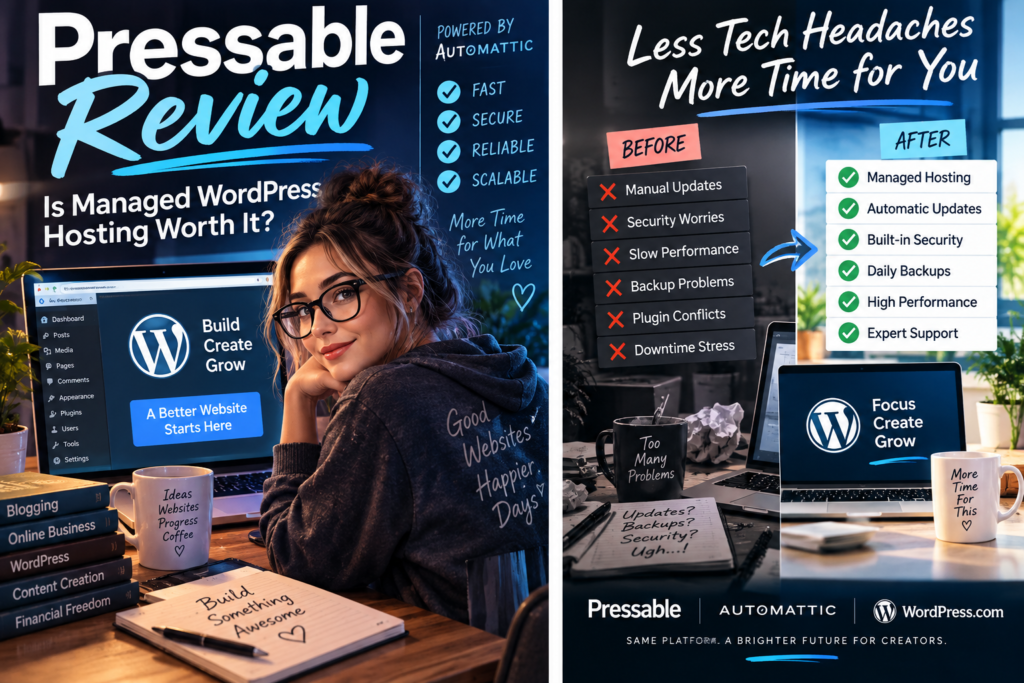
Important: The WordPress.com promotional images supplied with this review are WordPress.com advertising. They are not Pressable screenshots and are not evidence of Pressable’s features or performance.
Which Pressable Features Actually Matter?
A hosting feature list is only useful when you know what each feature saves you from doing yourself.
Backups: Your Recovery Plan When Something Breaks
Pressable currently creates daily filesystem backups and hourly database backups when changes are detected. You can also create on-demand backups.
All Pressable plans also include Jetpack Security, which provides a separate real-time backup system after it is activated and connected.
Who cares? Anyone running a site they cannot easily rebuild.
Does a beginner need it? Beginners absolutely need backups. They do not necessarily need Pressable specifically to get them, but reliable backups should be part of whichever hosting setup they choose.
Staging and Sandbox Sites: Break the Copy, Not the Real Site
Current Signature plans include a staging environment and sandbox environment for each included WordPress installation.
A staging site gives you somewhere to test changes before pushing them to production. A sandbox provides another environment for development and experimentation.
This becomes particularly useful for redesigns, major plugin changes, custom code, and client work.
Does a beginner need it? Not on day one. But once your site matters enough that breaking production is expensive or embarrassing, staging becomes much more useful.
Caching and CDN: Performance Infrastructure You Don’t Have to Build Yourself
Pressable currently includes edge caching, page caching, query caching and a global CDN as part of its hosting platform.
Caching can reduce the work required to generate repeated page requests, while a CDN helps deliver suitable website assets closer to visitors.
This does not mean every WordPress site hosted on Pressable will automatically be fast. Heavy themes, poorly coded plugins, oversized images, third-party scripts, and inefficient site design can still hurt performance.
Security: More Than Installing One Plugin
Pressable provides SSL for hosted sites and encrypts site files, databases, and backups at rest according to its current security documentation.
Jetpack Security is included with every Pressable plan. Current features include real-time malware scanning, real-time backups, brute-force protection, downtime monitoring, activity logging, spam protection, and automated plugin updates.
Pressable also maintains platform-level security measures.
Does a beginner need security? Yes. Again, that doesn’t mean a beginner specifically needs Pressable, but security is not an optional consideration simply because a website is small.
Free Site Migrations: Useful When You’re Already Tired of Your Host
Pressable currently offers unlimited free WordPress migrations and provides both migration tooling and expert-assisted migration options.
This removes some of the friction involved in changing hosting providers.
WooCommerce migrations require more planning because new orders can arrive while databases are being moved. Pressable’s current documentation specifically warns store owners to plan the migration window carefully.
WordPress-Focused Support
Pressable provides 24/7 WordPress hosting support on its Signature plans.
The value here isn’t merely having somebody available. Managed WordPress hosting is supposed to provide support from people familiar with the platform being hosted.
TimewasterAI has not independently contacted Pressable support, so this review does not make a firsthand claim about support quality or response time.
Developer and Agency Tools
Pressable currently supports tools and workflows including staging, sandbox sites, SSH, Git, WP-CLI, collaborator access, site templates, and WordPress Studio integration.
A blogger publishing twice a month may barely touch these tools.
A freelancer or agency repeatedly building and maintaining WordPress sites can get substantially more practical value from them.
A Realistic Managed-Hosting Use Case
Imagine a creator operates three WordPress sites.
One is the main business. Another is a niche content site. The third supports a separate project.
That creator could spend time manually maintaining backups, managing caching, troubleshooting hosting problems, moving sites, and creating temporary development copies.
Or they could pay more for managed hosting that incorporates many of those functions into the hosting platform.
The second approach isn’t automatically cheaper.
The question is whether the creator values the saved time, consolidated management, support, and recovery tools enough to justify the higher hosting bill.
This is an illustrative example, not a TimewasterAI account of firsthand Pressable use.
Pressable vs. WordPress.com
Both are connected to Automattic, and both provide managed WordPress hosting, which helps explain the confusion.
But they are separate services.
WordPress.com is an integrated website and hosting platform. You create or import a WordPress site into the WordPress.com service and choose among its plans.
Pressable is a specialized managed WordPress host built around hosting WordPress and WooCommerce sites with a hosting control panel, site environments, migrations, developer tooling, and infrastructure aimed at site owners, developers, freelancers, businesses, and agencies.
Both now provide substantial WordPress flexibility, so an old comparison that simply says “WordPress.com doesn’t allow plugins” would be inaccurate. WordPress.com currently allows third-party plugins on its paid Personal, Premium, Business, and Commerce plans.
Pressable vs. Cheap Shared Hosting
Cheap Shared Hosting Makes Sense When…
You’re launching a simple site, traffic is low, your budget is extremely limited, and you are comfortable handling more WordPress maintenance yourself.
Managed Hosting Makes More Sense When…
Your website matters to your business, performance and recovery matter, you manage multiple sites, or the time spent troubleshooting hosting is becoming more expensive than paying for a more managed service.
The cheapest hosting bill and the lowest total cost of running a website are not necessarily the same thing.
Pressable Pricing
Pressable currently offers eight Signature plan levels plus higher-end Premium Site plans.
The entry Signature 1 plan currently costs $25 per month when billed monthly or $250 per year, equivalent to $20.83 per month when paid annually.
It includes:
- 1 WordPress installation
- 1 staging site
- 1 sandbox site
- up to 30,000 visits per month
- 20GB storage
- 5 dedicated PHP workers per site
- caching and global CDN
- hourly and daily backups
- 24/7 WordPress hosting support
- Jetpack Security
- free site migrations
Current annual Signature pricing ranges upward as you add sites, visits, and storage. For example, Signature 3 currently supports five WordPress installs, up to 75,000 monthly visits and 35GB storage for $600 per year, equivalent to $50 per month.
Premium Site plans currently start at $350 per month and are aimed at substantially more demanding sites.
What Happens If You Exceed the Limits?
Pressable currently charges visit overages at $1.20 per additional 1,000 visits and storage overages at $1 per additional GB.
Pressable says sites are not automatically shut down or throttled simply for exceeding those included allocations. The account dashboard provides warnings as usage approaches or exceeds plan limits.
Is There a Trial?
Pressable currently advertises a 30-day money-back guarantee on its Signature plans rather than a conventional free hosting trial.
Always check the current checkout terms before purchasing because hosting pricing and policies can change.
How I Would Test Pressable
TimewasterAI has not completed this test. If we later move a real site to Pressable, this is the process I would use.
- Clone or migrate a real WordPress site. A blank demo site tells you very little about migration or compatibility.
- Measure the old host first. Record page-load and server-response measurements before moving anything.
- Test WordPress administration. Compare dashboard responsiveness when editing pages, managing plugins, and performing routine tasks.
- Use staging. Make a real change and evaluate how easy the staging workflow is.
- Test backups and restoration. A backup feature matters most when recovery is understandable and reliable.
- Ask support a real technical question. Don’t manufacture an emergency. Use a legitimate hosting or WordPress problem and evaluate the usefulness of the response.
- Monitor uptime over time. A few hours of testing cannot establish hosting reliability.
- Check plugin compatibility. Verify the plugins critical to the actual site.
- Measure performance again. Repeat comparable tests after migration.
- Compare the whole experience. Include performance, maintenance time, support, backups, staging, and price rather than relying on one speed-test score.
The value of managed hosting isn’t just a faster benchmark. It is whether the entire WordPress site becomes easier and less costly to operate.
Explore Pressable Managed WordPress Hosting
Consider Pressable if: You want WordPress-focused hosting with more of the backups, security, staging, caching, migrations, and infrastructure handled for you.
Before choosing a plan: Compare your number of sites, expected traffic, storage needs, staging requirements, and current hosting costs with Pressable’s current options.
Explore PressableWho Should Consider Pressable?
Pressable is most relevant when WordPress is important enough that infrastructure and maintenance deserve a budget.
Consider it if you:
- run a WordPress site that contributes to your income
- operate a WooCommerce store
- manage several WordPress websites
- build or maintain client sites
- want staging and sandbox environments
- want managed backups and integrated security tools
- value WordPress-focused hosting support
- would rather spend your time creating, selling, or managing clients than maintaining hosting infrastructure
Who Should Skip Pressable?
Pressable may be more hosting than you need if:
- you’re starting a tiny hobby blog with almost no budget
- your inexpensive host already meets your needs
- you don’t use WordPress
- you want complete unmanaged server control
- you enjoy managing your own VPS and infrastructure
- you won’t use staging, migrations, support, backups, security, or other managed features
- the $25 monthly entry price would take money away from more important early-stage website needs
Is Pressable Good for WooCommerce?
Pressable explicitly supports WooCommerce and maintains WooCommerce-specific hosting resources and documentation.
Its current WooCommerce offering includes the same kinds of managed infrastructure that can matter more as a store becomes important: backups, caching, security, staging, monitoring, support, and geo-redundant infrastructure.
That does not mean hosting alone makes a WooCommerce store fast. Themes, extensions, database behavior, external services, product catalogs, traffic patterns, and custom code can all affect performance.
Alternatives to Pressable
Cheaper Shared WordPress Hosting
Start here if budget matters more than managed infrastructure and your site is small enough that you can handle more maintenance yourself.
Another Managed WordPress Host
Pressable isn’t the only managed WordPress provider. Compare the features you actually need: sites, traffic allowances, storage, backups, staging, support, developer tools, overages, and total annual cost.
WordPress.com
Consider WordPress.com if you prefer its integrated website-and-hosting platform and its current plan structure fits your needs better.
VPS or Cloud Hosting
A VPS or cloud server can provide substantially more infrastructure control. That control also creates more responsibility unless you add a management layer.
Self-Managed Hosting
If managing servers is part of what you enjoy or do professionally, paying another company specifically to remove that work may not offer much value.
Pressable Pros
- WordPress-specific hosting. The platform is designed around WordPress and WooCommerce rather than generic application hosting.
- Backups are built into the hosting workflow. Pressable currently provides daily filesystem and hourly database backups plus on-demand backups.
- Jetpack Security is included. Current plans include real-time malware scanning, additional backups and other security features after activation.
- Staging and sandbox environments are included. These are useful for testing changes away from production.
- Free migrations reduce switching friction.
- Caching and CDN functionality are built into the platform.
- Developer and agency tools are available. Current tooling includes SSH, Git, WP-CLI, collaboration features and WordPress Studio integration.
- WooCommerce is explicitly supported.
Pressable Limitations
- It costs more than entry-level shared hosting. The current single-site plan is $25 per month on monthly billing.
- It is WordPress-specific. Pressable’s migration documentation states that non-WordPress platforms cannot be directly migrated to Pressable without first being converted to WordPress.
- Plans have visit and storage allocations. Exceeding them can result in overage charges.
- Some beginners may pay for capabilities they rarely use. Staging, sandbox sites, SSH, Git, and advanced development workflows may be irrelevant to a basic personal blog.
- Managed does not mean hands-off. You still own decisions involving themes, plugins, content, customizations and how your WordPress site is configured.
Buying Decision
Use Cheaper Hosting If…
Your WordPress site is new, simple, low-traffic, and budget is the priority. Learn what your site actually needs before paying for infrastructure you may not use.
Consider Pressable If…
Your WordPress site matters to your business or workflow and backups, staging, security, migrations, performance infrastructure, and specialized support would remove meaningful technical work from your plate.
Consider WordPress.com If…
You want a more integrated WordPress website-and-hosting platform rather than specifically choosing Pressable as your managed host. Compare the current plans and workflows directly because both services are connected to Automattic but are not the same product.
Pressable FAQ
What is Pressable?
Pressable is a managed hosting provider dedicated to WordPress and WooCommerce. Its current hosting platform includes backups, caching, CDN functionality, staging and sandbox environments, security tools, migrations, support, and developer features.
Is Pressable owned by Automattic?
Yes. Pressable states that it was acquired by Automattic. Automattic also operates WordPress.com and owns products including WooCommerce and Jetpack.
Is Pressable the same as WordPress.com?
No. Both are part of the Automattic ecosystem and both provide managed WordPress hosting, but they are separate services with different products, dashboards, plan structures, and workflows.
Is Pressable good for beginners?
A beginner can use managed hosting, but not every beginner needs to pay for it. Someone starting a simple personal site may be adequately served by a less expensive option. Pressable becomes easier to justify when the site’s reliability, maintenance time, support, or business importance makes managed features valuable.
Is Pressable good for WooCommerce?
Pressable officially supports WooCommerce and offers WooCommerce-specific hosting resources and support. TimewasterAI has not independently tested its WooCommerce performance.
Does Pressable include backups?
Yes. Pressable currently provides daily filesystem backups, hourly database backups when changes are detected, and on-demand backups. Jetpack Security adds another backup system when activated.
Can Pressable migrate my site?
Yes. Pressable currently provides free WordPress migrations, including automated and expert-assisted migration options. Non-WordPress sites need to be converted to WordPress before they can be migrated directly to Pressable.
Is managed WordPress hosting worth it?
It can be when the time, support, performance infrastructure, backups, staging, security, and maintenance assistance are worth more to you than the difference in hosting cost. A simple low-traffic site may not need those benefits yet.
Is Pressable more expensive than shared hosting?
It can be. Pressable’s current entry Signature plan costs $25 per month on monthly billing, while entry-level shared hosting elsewhere can cost substantially less. The relevant comparison is what features and management work are included for that price.
The Bottom Line
Pressable makes the most sense when your problem isn’t “How can I host WordPress for the absolute lowest price?”
Its value proposition is closer to: “How much of the hosting infrastructure can I stop thinking about?”
Backups, staging, security, caching, migrations, developer tools, and WordPress-focused support all have value, but only if they solve problems you actually have.
A small hobby site doesn’t automatically need managed WordPress hosting. A revenue-generating site, WooCommerce store, agency portfolio, or collection of client sites has a stronger reason to pay for infrastructure that can reduce maintenance work.
Pay more for managed hosting when it removes technical work that is genuinely costing you time, reliability, or money—not simply because “managed” sounds better.
Check Pressable Before Moving a Site
Compare your current hosting bill with the features you would actually use on Pressable. Pay particular attention to your number of sites, monthly visits, storage, staging needs, migration requirements, and potential overages.
Explore Pressable Managed WordPress Hosting
Consider Pressable if: You want WordPress-focused hosting with more of the backups, security, staging, caching, migrations, and infrastructure handled for you.
Before choosing a plan: Compare your number of sites, expected traffic, storage needs, staging requirements, and current hosting costs with Pressable’s current options.
Explore Pressable