Affiliate disclosure: TimewasterAI may earn a commission when you purchase through links on this page, at no additional cost to you.
Research-based review: This article uses official specifications and does not claim hands-on testing.
Quick answer: The OmniBook Ultra Flip 14 suits buyers who will actually use a touchscreen laptop in tablet, presentation, or tent modes. If the hinge rarely moves beyond a normal laptop angle, a conventional clamshell can provide better value and fewer compromises.
The display and hinge are the reason to buy
HP’s OmniBook Ultra Flip 14-fh0000 series is a premium convertible built around Intel Core Ultra 200V processor options, integrated Intel Arc graphics, and a 2.8K OLED multitouch display with a variable 48-to-120Hz refresh range. HP lists 16GB and 32GB onboard memory configurations and SSD choices from 512GB to 2TB.
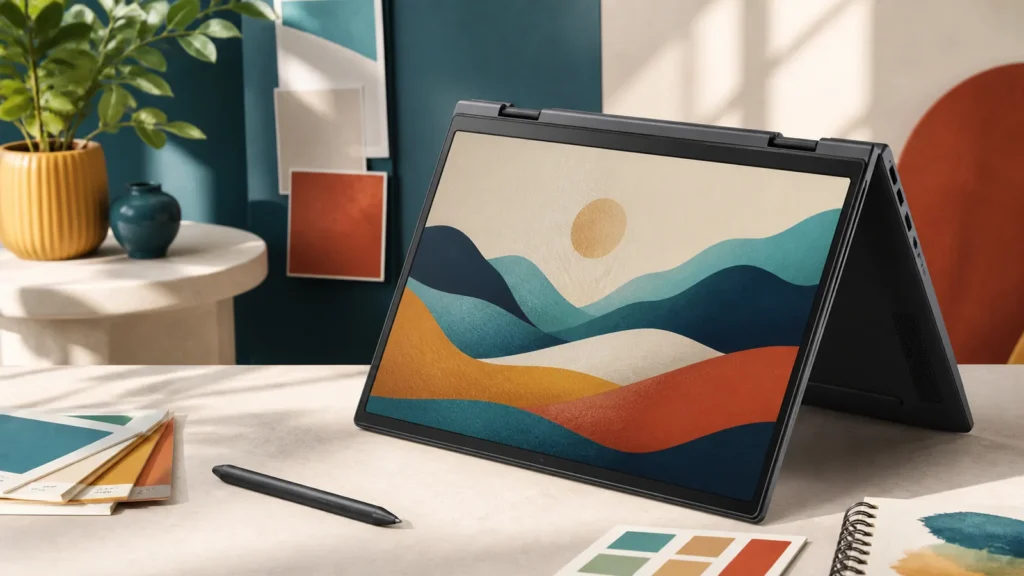
The 16:10 display provides useful vertical space, while touch and the 360-degree hinge enable tablet, tent, and presentation positions. OLED provides strong contrast and color, although a glass touchscreen is reflective and benefits from careful handling.
Know the tradeoffs
The Core Ultra V-series platform is designed around efficiency and on-device AI acceleration rather than discrete-GPU performance. It fits office work, communication, browsing, media, and moderate creative tasks. It is not a gaming laptop or workstation.
Onboard memory cannot be upgraded. The convertible mechanism adds complexity, and tablet use at 14 inches is more natural on a table or lap than held in one hand for long periods. Pen support and whether a pen is included must be checked for the exact SKU.
Key specifications to compare
| Display | 14-inch 2.8K OLED multitouch, variable 48Hz to 120Hz |
|---|---|
| Form factor | 360-degree convertible |
| Processors | Intel Core Ultra 200V-series options |
| Memory | 16GB or 32GB onboard LPDDR5x |
| Storage | 512GB through 2TB PCIe 4.0 SSD options |
Who should buy it—and who should skip it
Buy it if
- You will use touch, annotation, presentation, tent, or tablet positions every week.
- The 16:10 OLED display is central to your media, note-taking, or client-facing workflow.
- Efficient office performance matters more than discrete-GPU power.
Skip it if
- The hinge will stay in a normal laptop position almost all the time.
- You need user-upgradeable memory, workstation graphics, or a light one-handed tablet.
- A reflective glass OLED display is a poor fit for your lighting or static-content workload.
How this research-based review was evaluated
We compared the manufacturer’s published processor, memory, storage, display, port, battery-test, and service information with the practical needs of common buyers. Because this is not a hands-on laboratory test, we do not assign a performance score, repeat unverified retailer claims, or present manufacturer battery estimates as guaranteed daily results. The recommendation is based on documented capabilities, upgrade limits, compatibility risks, and the total ownership decisions a buyer must make.
Ownership considerations
Confirm the exact SKU because processor, memory, storage, pen bundle, and warranty can vary. Onboard memory cannot be increased later. A 14-inch convertible is versatile on a desk or lap but heavier and less comfortable to hold than a dedicated tablet. Include a replacement pen, protective sleeve, and accidental-damage coverage in the cost if mobile touch use is central.
Alternatives worth comparing
A conventional clamshell such as MacBook Air or Zenbook A14 is simpler when touch is unnecessary. Surface Laptop offers touch in a standard laptop design. Buyers who want a detachable tablet experience should compare Surface Pro rather than assuming every convertible serves the same use case.
Still deciding? Start with our Best Laptops guide, narrow the field with the Laptop Finder, and place finalists side by side in Compare Laptops. Our guide to how much RAM you need can help you choose a configuration without paying for capacity your work will not use.
First-week verification checklist
Use the return period to confirm the parts no specification sheet can settle for you:
- Install every essential application, plug-in, VPN, security tool, printer, and peripheral.
- Check keyboard comfort, trackpad accuracy, webcam quality, speaker clarity, and fan behavior during your real work.
- Test sleep and wake, Wi-Fi stability, external displays, charging, docks, and every port you expect to use.
- Work at your normal brightness for several days and record realistic battery life rather than relying on a maximum-hour claim.
- Inspect the display in your normal room for glare, text comfort, scaling, touch behavior, and any distracting panel characteristics.
What should you actually do?
Write down how often you will annotate, present, sketch, watch video in tent mode, or use touch away from a desk. If those activities are weekly, the Flip can earn its premium. If not, compare a lighter clamshell. Choose 32GB at purchase for demanding multitasking because memory is onboard.
Frequently asked questions
Is a pen included?
Bundle contents vary. Confirm the exact model and retailer listing.
Can the RAM be upgraded?
HP lists onboard LPDDR5X memory, so choose capacity at purchase.
Research-based editorial review. Specifications checked against HP’s official OmniBook Ultra Flip 14 series documentation on August 29, 2026. No hands-on testing is claimed.